©2000 Nokia Mobile Phones. All rights reserved.
Getting started
29
Getting started
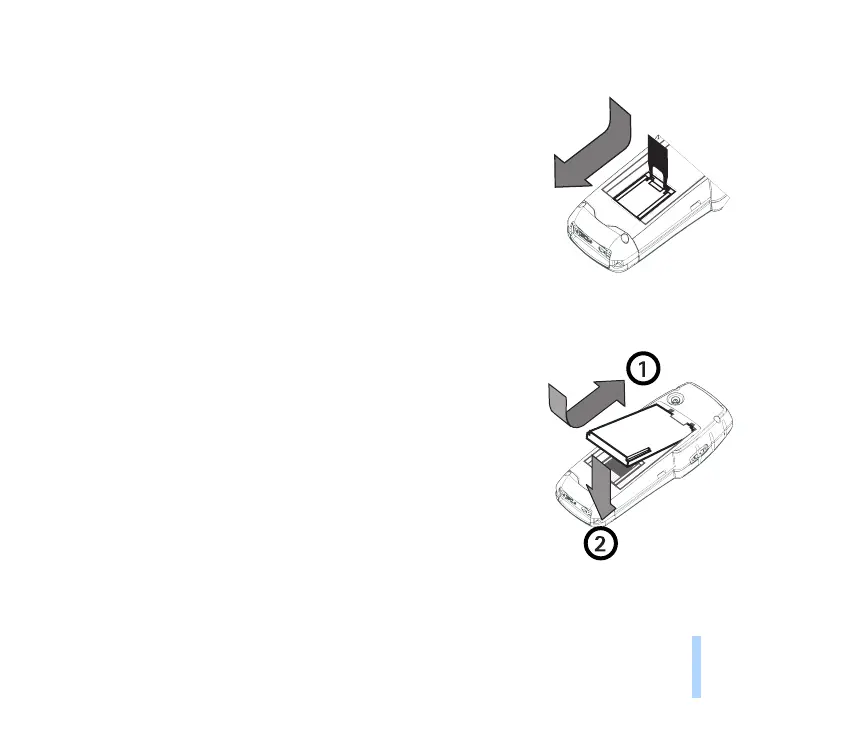
6. When SIM card is inserted, close the card holder
downwards and press the wires from sides again to lock
the card holder into the slots.
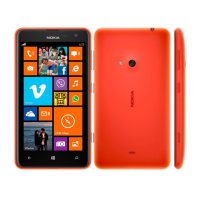
7. Replace the battery.
Note: Ensure you place the battery so that the electric contacts
of the battery and the phone touch one another.
Make sure the interior of your phone and the back cover seals are
dry and clean, and free of any foreign objects. Foreign objects
may damage the seals against water.
Never detach the cover seals.



 To Next Page