Configure a Gateway 3 (G-240W-E)
90
Nokia WiFi Gateway 3 Product Guide
3FE-47464-AAAA-TCZZA Issue: 01
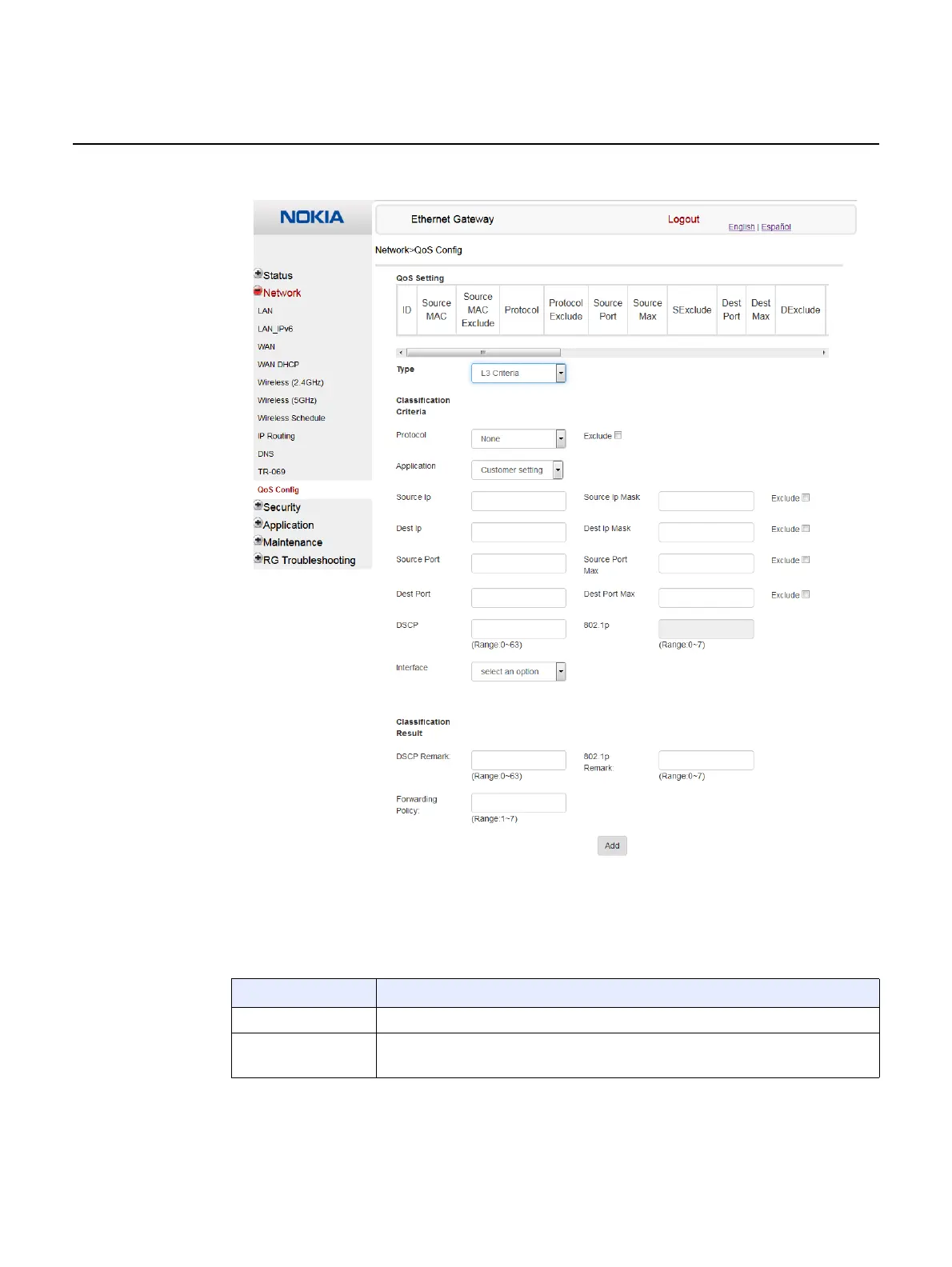
Figure 31 QoS Config window (L3)
Table 29 describes the fields in the QoS Config window.
Table 29 QoS Config parameters
Field Description
Type Choose a QoS service layer type from the drop-down menu, either L2 or L3.
Source MAC Enter the source MAC.
Select the Exclude check box to exclude the source MAC
(1 of 2)


 To Next Page