3
2 Installation
Ensure the PULSE power switch is OFF for the remainder of the installation
(Bottom of switch pressed IN).
1. Install the PULSE™ display in the cab of the sprayer where it will be clearly visible and
within easy reach of the operator.
When installing the PULSE, it is recommended to install it no closer than 1
(one) meter (40 inches) from 2-way radio antennas. Older 2-way radio
antennas can cause interference.
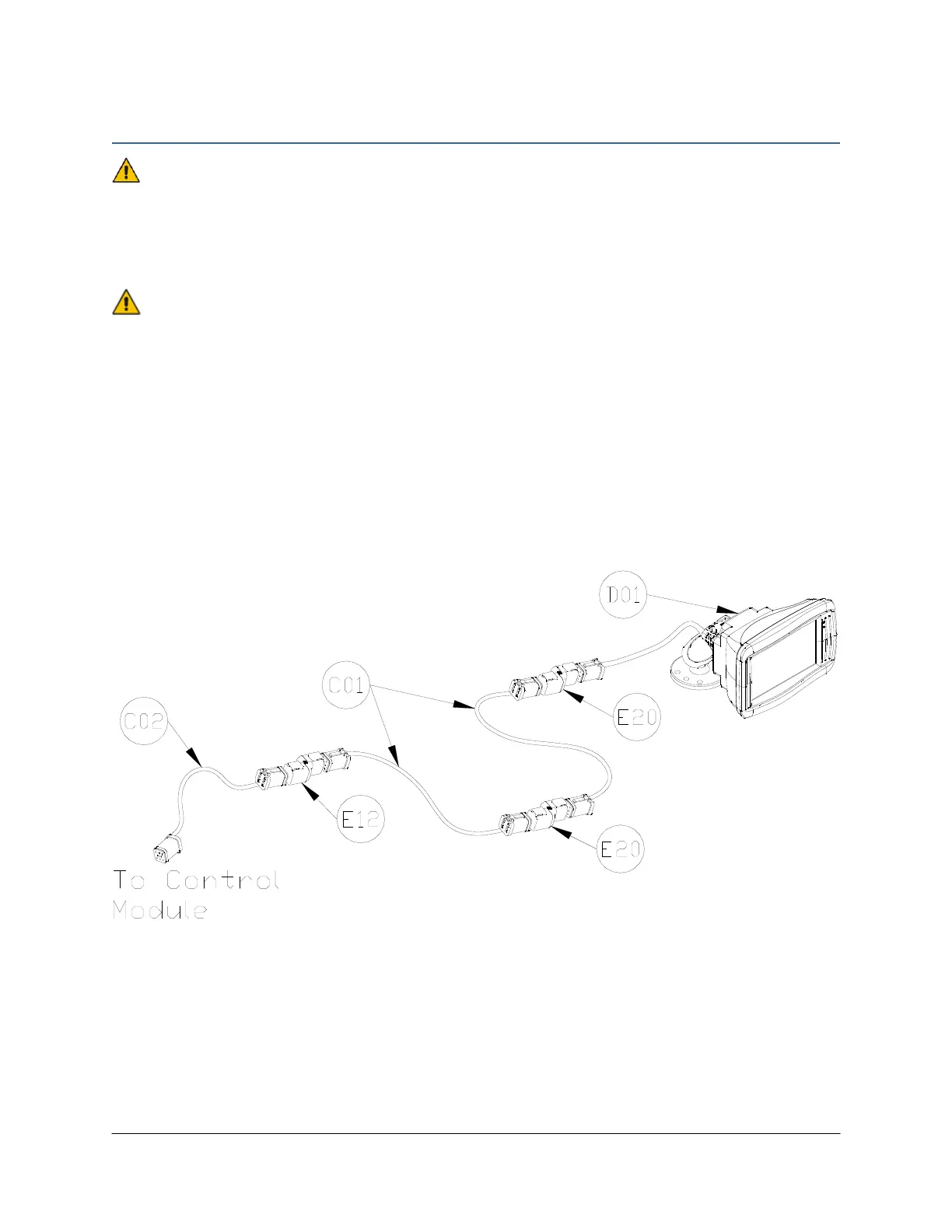
2. Connect cable C01 between the terminators (E20). Connect one terminator to the cable
from the PULSE display (D01) and the other to the remaining cable C01.
3. Connect the 2-way coupler (E12) between the free end of cable C01 and cable C02.
4. Connect the free end of the network cable (C02) to the Display Bus connector on the
control module (E01). This is the end of the control module that only has one Deutsch
connector.
Figure 1: PULSE Display Kit Parts



 To Next Page