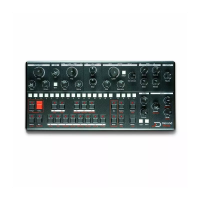
To create interesting effects in a pattern, it is possible to unlink
the X-Envelope triggers from the note trigs. When doing so, the X-
Envelope of the selected parameter will be replaced by the one
entered on the [SEQ] keys.
To create an unlinked X-Env sequence, start by selecting the
desired parameter - [CUTOFF] for example. Then press [UNLINK],
and hit [SEQ] keys to create your unlinked sequence. As you see
the green [KEY] show the unlinked sequence. To disable an
unlinked sequence and trig the X-Env with the note trigs again,
you need to disable all the unlinked trigs.
Unlinked X-Env trigs will also reset the LFO phase !
Copy paste and clear
To copy a step, hold [FUNC] + [COPY] then hit the [SEQ] key of the
step to be copied. To paste, hold [FUNC] + [PASTE], and hit the
destination [SEQ] key. You can also copy a range of steps, hold
[FUNC] + [COPY], hold the start [SEQ] of the range and press the
end [SEQ]. Then hold [FUNC] + [PASTE], the starting [SEQ] step
where you want to paste, and then the end [SEQ]. Clear a step by
holding [DELETE] and hitting the desired [SEQ] key. These step
operations act on every parameter - note, accent, slide,
parameter offset and so on.
The same can be done with full pages, use the desired [PAGE] key
instead. You can now copy a page and paste it on an other page
without having to set the pattern length. Hold [FUNC] + [COPY]
and press the [PAGE] to copy, then hold [FUNC] + [PASTE] and
press the [PAGE] where you want to paste.
To copy a whole parameter automation (all parameter offsets
on the pattern), hold [FUNC] + [COPY] and slightly move the
potentiometer of the desired parameter. To paste, hold [FUNC] +
[PASTE] and slightly move the target parameter. To clear a whole
parameter hold [DELETE] and slightly move the desired
potentiometer.
You can also copy, paste and clear a patch. To do so, use the
[RECORD] button : To copy, hold [FUNC] + [COPY] and press
[RECORD]. Navigate to the pattern where you want to paste the
patch, hold [FUNC] + [PASTE] and hit [RECORD]. To delete a patch,


 To Next Page