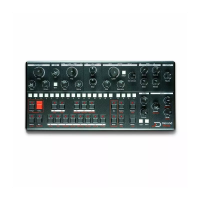
switch pattern, select a [PAGE] and hit a [SEQ] key to set the
current pattern. For example, press C, then 5 to select the C05
pattern. To play a pattern temporarily, hold [FUNC] and press the
pattern [SEQ] key, when releasing [FUNC] the previous pattern
will resume playing. Press [PATTERN] again to quit pattern
selection mode.
Patterns can be changed while the sequencer is running.
Patterns can be changed with program changes messages.
While in pattern selection mode, hold [FUNC] + [COPY] and hit a
[SEQ] key to copy the desired pattern, then hold [FUNC] +
[PASTE] and hit the destination [SEQ] key.
Hold [DELETE], and hit a [SEQ] key to clear the desired pattern.
Note that [DELETE] + [PATTERN] won't clear the patch.
Pattern control
Press [RUN] to start the playback of a pattern, press [RUN] again
to stop and reset. The [SEQ] keys LEDs indicate the playback
position. If a pattern contains more than 16 steps, the [PAGE]
keys LED indicate the position.
Pattern Length
Hold [FUNC] and hit [LENGTH] to open the pattern length setting.
You are now familiar with the next step : select “page” length
with a [PAGE] key, then the actual length with a [SEQ] key. For
example, for a 50 step pattern, press [PAGE] D and [SEQ] 2
(3x16+2), should be doable even after a few beers. Hit [FUNC] to
leave setting mode.
Tempo
When clocked internally, there are several ways to change the
current tempo.
Hold [TEMPO] and press [UP] or [DOWN] to increment or
decrement the tempo by 1.
Hold [TEMPO] and enter a number with the 0 to 9 [SEQ] key. For
example, for 135 BPM, hold [TEMPO] press [SEQ] 1, then 3, then 5,
and release [TEMPO].
Tap the [TEMPO] key in a steady rhythm at least 4 times to set a
tempo manually. After four consecutive taps, the average
tempo of the taps will be calculated. By continuing tapping,
the average tempo will keep on updating.


 To Next Page