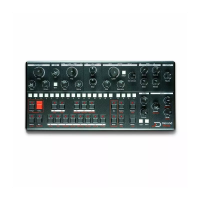
Update and calibration
Updating firmware
To update the software, simply put the "mono_mk2_update.bin"
file in the root folder of the SD card, then press [PATTERN] + [RUN]
when turning on the synth. The update will start, the [SEQ] LED
strip will start to blink. When the update is done, the synth will
restart.
Oscillators calibration
Like every analog synthesizer, the oscillators needs to be
calibrated from time to time. Mono's oscillator and filter are no
exception. To calibrate the oscillator and filter, turn off the unit,
hold [UNLINK] + [TO XMOD] on the mini-keyboard, and turn the
unit back on. The calibration procedure will start. The [SEQ] LEDs
indicate the progress of calibration of each oscillator and filter,
so it will restart at the beginning twice. The calibration
procedure takes about 3 minutes. It is recommanded to
calibrate Mono when it is hot, after being powered for at least
15 minutes.
Restart the synth once calibration is done.
Resonance calibration
The maximum amount of resonance you want to get out of your
synth is very subjective. Some people like very distorted self-
oscillating resonance, others prefer no self-oscillation. On Mono
it is possible to calibrate the maximum resonance level. To do
so, turn off the synth, hold [TYPE] + [WAVE], and turn it back on.
[PATTERN] and [RUN] LED will flash. You can play the synth


 To Next Page