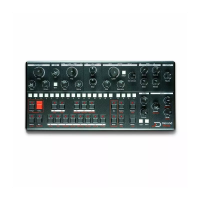
the cut-off parameter has an internal value range of 0 to 100
(chill out geeks, it is 16 bit internally). The physical position of
the pot is at 80 and you load a program with a stored value of
20. Turning the pot all the way up will only set the parameter to
40. To get the maximum value you first have to turn down until
the value is at the other bound of the range, in this case 0, or
fully counterclockwise.
Bend Rg
The [BEND RG] sets the range of the pitch wheel bend in
semitones. Use the [SEQ] keys to select the range from 1 to 16, 3
being the default value.
Clock
This setting allows the user to set the sequencer clock source. Use the [SEQ] keys to select
the 4 clock sources available:
Internal [SEQ 1] (default) : Mono uses its internal clock, and
[RUN] key to manage playback.
MIDI [SEQ 2] : Mono uses the clock received on the MIDI port,
playback operation is handled with MIDI start stop messages.
The [RUN] key can still be used to handle transport.
USB [SEQ 3] : Mono uses the clock received on the USB port,
playback operation is handled with MIDI start stop messages.
The [RUN] key can still be used to handle transport.
CV [SEQ 4] : Mono uses its CV clock input as clock. In this
mode, each step is triggered by an incoming pulse signal at the
CV clock input, and the pattern restarts everytime a pulse is
received at the reset input. Note that when using CV clock,
some features of Mono can't work : microshift, ratchet, and
swing. This mode really shines when using a weird semi-
random clock source like a Make Noise Wogglebug.


 To Next Page