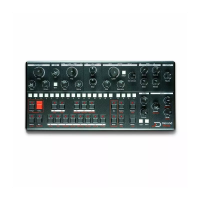
Hold [TEMPO] and rotate the X-MOD [AMOUNT] potentiometer
to speed up/slow down tempo by +/-16%, the pot center being
0. Similar to a turntable pitch fader.
Play styles
Play styles allow you to alter the order in which the sequencer
plays the steps of a pattern. The default of course is forward.
When you switch to a non default play style, going back to the
forward mode will position the play head to where it should be
e.g it won't ruin your sync.
1 Forward (Default)
2 Reverse
3 Synced Pendulum
4 Pendulum
5 Drunk (2 Forward, 1 backward)
6 Reverse drunk
7 Random Drunk (75% chance forward, 25% backward)
8 Reverse Random Drunk
9 Random
You can change play style by going to the Play mode menu,
[FUNC] + [RUN], and select one of the 9 play modes with the
[SEQ] keys 1 to 9.
Play modes
You can change the behaviour of the sequencer when a pattern
switch occurs with the play mode setting. There are 3 play
modes, if you are familiar with Elektron gear, they are equivalent
(no need to reinvent what's already great right ?).
A. Sequential (default) : The pattern switch occurs at the end of
the currently playing pattern
B. Direct Jump : The pattern switch occurs immediately, the
new pattern will start from the position where the previous
pattern left off.
C. Direct Start : The pattern switch occurs immediately, the new
pattern will start playing from the beginning.
You can change play mode by going to Play mode menu, [FUNC]
+ [RUN], and select one of the 3 play modes with the [PAGE] A, B
or C keys.


 To Next Page