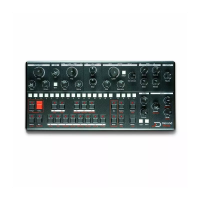
Live mode
Live mode allows musician to heavily edit the running pattern
without affecting it in memory. When live mode is enabled, a
snapshot of the active pattern is taken when it starts. You can
edit everything (patch, pattern, automations …), but when you
switch to another pattern or recall the same pattern, it will
revert back to its saved state. Live mode also affect Mod Notes :
when a Mod Note is selected on the mini keyboard, you can edit
it, but when you select another Mod Note or reselect the same
one, it'll revert back to the saved state. Toggle live mod by
holding [PATTERN] + [RUN] and hit the [RECORD] key. [RECORD]
blinks when live mode is enabled.
If you do want to save the changes you've made to the pattern
while live mode is enabled, you need to save the project. Note
that disabling live mode will also revert the pattern back to the
saved state, so don't forget to save if you want to retain your
changes.
Loop mode
Loop mode is a live oriented feature that allows you to play a
small part of a pattern temporarily. It is especially useful in live
situations to create movement on-the-fly. To enable it, hold
[FUNC] and select your start point byt hitting a [SEQ] key, then
the end point with another [SEQ] key. You can also set a reversed
loop selecting the ending step before the starting step. The loop
will start at the next step after releasing the [FUNC] key. To
leave the loop, hit [FUNC] again. The full pattern will resume
playback as if it was running in the background. Loop mode only
works on a single page, selecting a start point located after the
end point plays the loop backward.
Song mode
The number of chained pattern to create a song is unlimited.
When a song is playing, it will play the selected pattern
sequentially, and loop back to the first one at the end. To create
a song, you need to be in pattern mode, press [PATTERN], the LED
should be on. Once in pattern mode, hold [PATTERN] and hit the
[SEQ] key of the pattern you want to add to your song in the
correct order (you can add the same pattern several times).
Once you release [PATTERN], your song will start playing. To
leave song mode, press a [SEQ] key.


 To Next Page