Randomizer
Hold [FUNC] + [TEMPO] and :
Press a [PAGE] key : add between 1 and 4 random notes to
the page, the added note are always in scale.
Press a [SEQ] key : Randomize every parameter of said step
except its pitch
Press [GLIDE] or [ACCENT] key to add random glides and
accents
Move a parameter's knob to create a random automation
Remember you can always undo if you don't like what you
hear
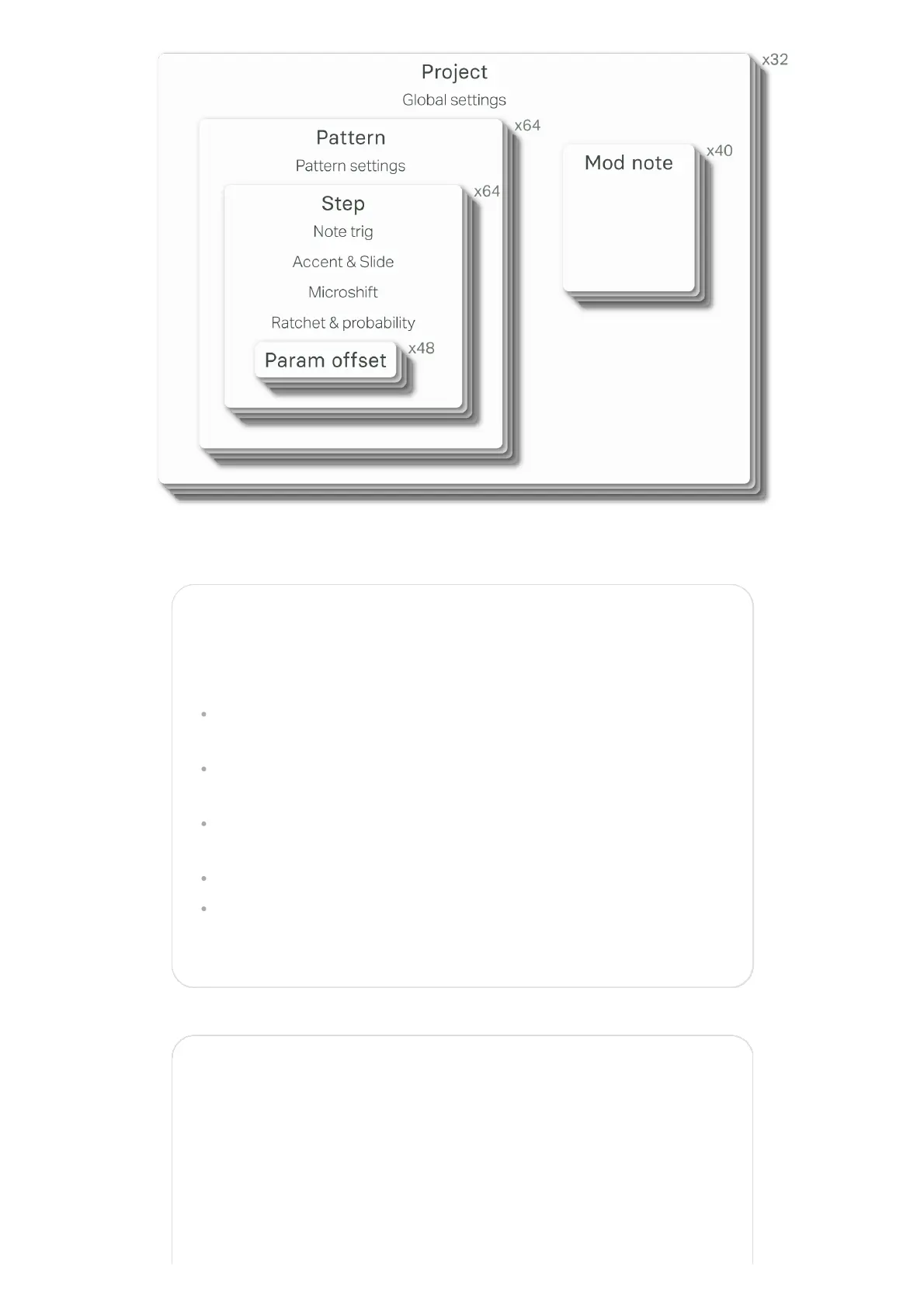
Mod note mode
In Mod Note mode, the keyboard no longer act as chromatic,
each of the 8 bottom mini keyboard [NOTE] keys has its own
set of parameters, its own timbre in a way.
Each project has 5 pages of Mod notes, scroll with [UP] or
[DOWN] key. When the mode is activated, both [UP] and [DOWN]


 To Next Page