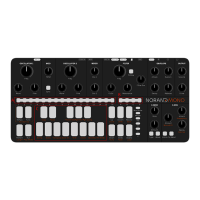
1 Menu switches :
Run : start and stop the sequencer player
Pattern : select current pattern
Tempo : set tempo using up/down switches, step
switches, or X-Mod amount knob for vinyl-like speed
adjust.
Hold Func + Tempo to randomize something, see
randomize bubble
Up/Down : select current octave. Hold func +
Up/Down to rotate pattern. Press the 2 buttons to
enter Mod Note mode, see mod note bubble.
Accent/Glide : Hold and press steps to add accent or
glide. Hold func and press to undo/redo. Every single
action on Mono can be undone.
Record : enter/leave record mode. In record mode,
incoming notes from external and internal keyboard
will be recorded. Also, knobs movements will be
recorded as automation as well.
Delete : Hold delete and press a page or step switch,
or rotate a knob to delete associated data.
2 Step switches : these 16 switches along with the page selection
switches allow users to edit the 64 step-sequence, and access other
settings such as length, pattern, and synth settings.
Add note : press the switch to add selected note
Edit note length : hold start position, then press end
position
Edit pattern length : hold Func and press pattern, then
press a step to set the length
Change pattern : press pattern, press step
Manually enter tempo : hold tempo, enter digits with
steps, release tempo
Edit settings : see settings cheat sheet
3 Mini keyboard : Allow to select the note to be added on a step
(shown by bright LED). Pressing the switch will play the associated
note. The LED will reflect the current scale.
4 Page switches : Select current page
To Copy/Paste : Hold func and press copy rst (copy will blink), then select
the item to be copied (step, page, knob automation, pattern or project).
Hold func and press paste (paste will blink), then select the paste
destination.
Settings : Hold Func and press desired settings, select value, press Func to
exit
Connectors


 To Next Page