EasyManua.ls Logo

Nordson EFD ValveMate 7140 - User Manual

Nordson EFD ValveMate 7140
28 pages
Print Icon
To Next Page IconTo Next Page
Loading...
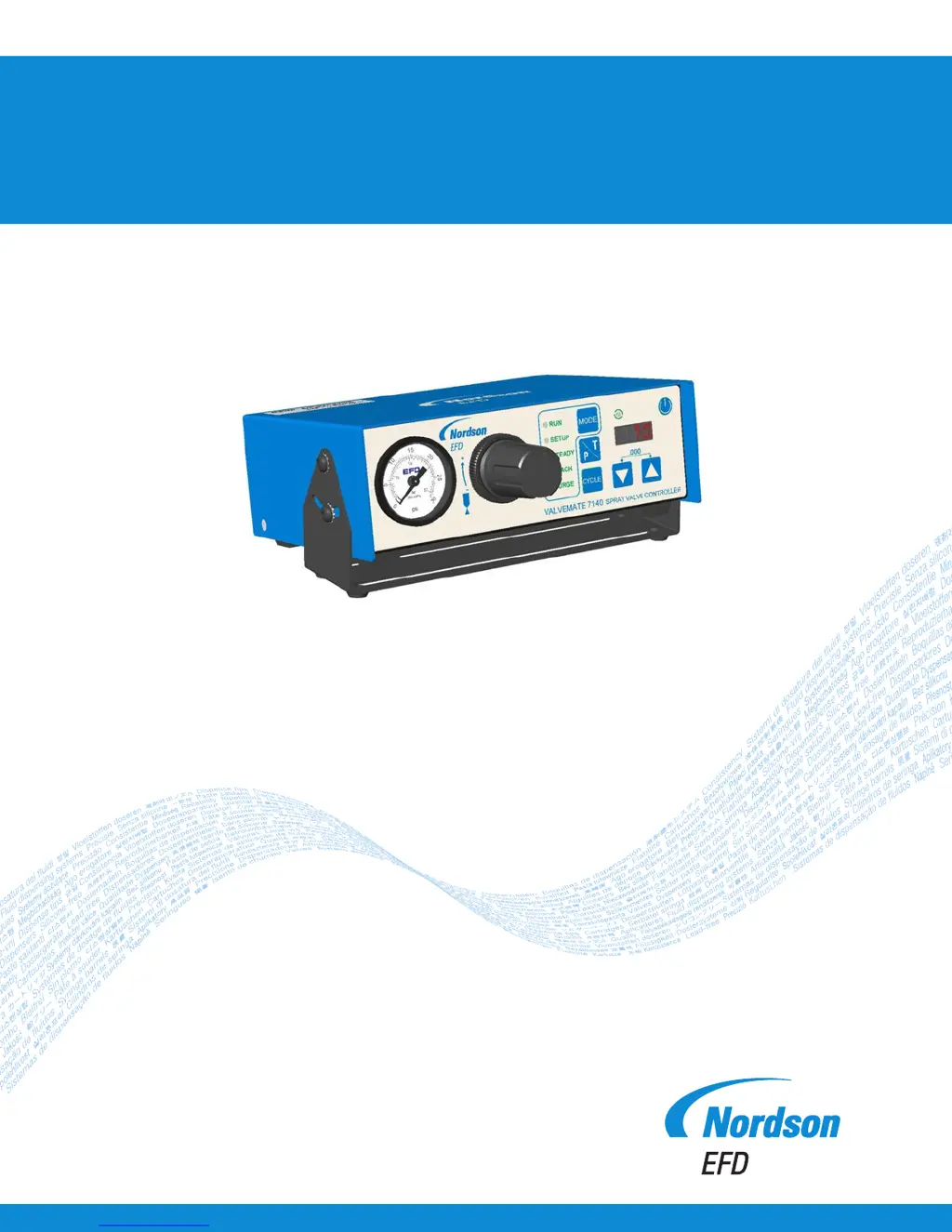
ValveMate 7140 Controller
Operating Manual
Electronic pdf les of Nordson EFD
manuals are also available at
www.nordsonefd.com

Other manuals for Nordson EFD ValveMate 7140

Questions and Answers

Summary

Introduction

Product Safety

Electric Shock Safety

Warning and precautions for electrical hazards during operation and servicing.

Maximum Air Pressure and Release

Specification for maximum air input pressure and procedure for releasing pressure.

Burn Hazards

Warning about hot surfaces and protective measures to avoid burns.

Specifications

Cabinet Dimensions and Weight

Physical dimensions and weight of the ValveMate 7140 controller.

Electrical Power and Input

Details on electrical power input, connector type, and external power adapter.

Air and Circuit Specifications

Information on air input, consumption, feedback, and initiate circuits.

Operating Conditions and Classification

Ambient operating conditions, installation category, and product classification.

Operating Features

Front Panel Buttons and Modes

Explanation of front panel buttons and their operational modes (RUN, SETUP, STEADY, TEACH, PURGE).

Indicator Lamps

Description of indicator lamps on the front panel and their operational status indications.

Extended User Setup Functions

Overview of advanced user setup functions like alarm settings and pressure units.

Back Panel Markings

Typical Setup

Mounting the ValveMate 7140

Optional Panel Mount Kit

Details and dimensions for the optional panel mount bracket kit for panel mounting.

External Power Adapter

Input; Output Connections

Terminal Strip Overview

Description of the 10-pin terminal strip, its inputs (5-24 INIT, CC INIT) and outputs.

Initiate Connections

Alarm OUT and Alarm IN

Details on alarm output circuit and using CC INIT for external alarm input.

End-of-Cycle (EOC) Output

Explanation of the End-of-Cycle feedback circuit functionality.

24 VDC Output

Information on the 24 VDC courtesy power output for signaling purposes.

I;O Connection Schematics

External Wiring Diagram

Diagram showing external wiring connections for the controller's inputs and outputs.

Electrical Schematic

Detailed electrical schematic illustrating I/O connections.

Air Connections

Air Input Connection

Procedure for connecting the plant air supply to the ValveMate 7140.

Air Output Connections

Instructions for connecting actuating air and nozzle air hoses.

Final Setup Checklist

Testing the Spray Valve

How To Guides

On-the-Fly Time Adjustments

How to make time adjustments while the controller is in RUN mode.

Setting Steady Mode

Steps to set the controller to STEADY mode for timer override.

Using TEACH Mode

Guide for setting dispense time using the TEACH mode.

Purging with;without Nozzle Air

Procedures for purging the spray valve with or without nozzle air.

Adjust Nozzle Air Delay

Enable;Disable Low Air Pressure Alarm

Select Pressure Units

Enable;Disable CC INIT as External Alarm Input

Troubleshooting

LED Toggles; No Initiate Signal

Issues with LED display toggling and failure to accept initiate signal.

Unit Not Responding to Initiate Signal

Problems with the unit not responding to initiate signals, possibly due to mode or timing.

Timer Inoperative

Troubleshooting steps for an inoperative timer, checking mode and signal integrity.

Blinking LED Troubleshooting

Causes and solutions for a blinking LED, often related to external alarms.

Part Numbers

Replacement Parts List

List of available replacement parts with part numbers and descriptions.

Warranty Information

One Year Limited Warranty

Details of the one-year limited warranty for the ValveMate 7140 controller.

Warranty Limitations

Limitations on warranty coverage, including merchantability and consequential damages.

Summary

Introduction

Product Safety

Electric Shock Safety

Warning and precautions for electrical hazards during operation and servicing.

Maximum Air Pressure and Release

Specification for maximum air input pressure and procedure for releasing pressure.

Burn Hazards

Warning about hot surfaces and protective measures to avoid burns.

Specifications

Cabinet Dimensions and Weight

Physical dimensions and weight of the ValveMate 7140 controller.

Electrical Power and Input

Details on electrical power input, connector type, and external power adapter.

Air and Circuit Specifications

Information on air input, consumption, feedback, and initiate circuits.

Operating Conditions and Classification

Ambient operating conditions, installation category, and product classification.

Operating Features

Front Panel Buttons and Modes

Explanation of front panel buttons and their operational modes (RUN, SETUP, STEADY, TEACH, PURGE).

Indicator Lamps

Description of indicator lamps on the front panel and their operational status indications.

Extended User Setup Functions

Overview of advanced user setup functions like alarm settings and pressure units.

Back Panel Markings

Typical Setup

Mounting the ValveMate 7140

Optional Panel Mount Kit

Details and dimensions for the optional panel mount bracket kit for panel mounting.

External Power Adapter

Input; Output Connections

Terminal Strip Overview

Description of the 10-pin terminal strip, its inputs (5-24 INIT, CC INIT) and outputs.

Initiate Connections

Alarm OUT and Alarm IN

Details on alarm output circuit and using CC INIT for external alarm input.

End-of-Cycle (EOC) Output

Explanation of the End-of-Cycle feedback circuit functionality.

24 VDC Output

Information on the 24 VDC courtesy power output for signaling purposes.

I;O Connection Schematics

External Wiring Diagram

Diagram showing external wiring connections for the controller's inputs and outputs.

Electrical Schematic

Detailed electrical schematic illustrating I/O connections.

Air Connections

Air Input Connection

Procedure for connecting the plant air supply to the ValveMate 7140.

Air Output Connections

Instructions for connecting actuating air and nozzle air hoses.

Final Setup Checklist

Testing the Spray Valve

How To Guides

On-the-Fly Time Adjustments

How to make time adjustments while the controller is in RUN mode.

Setting Steady Mode

Steps to set the controller to STEADY mode for timer override.

Using TEACH Mode

Guide for setting dispense time using the TEACH mode.

Purging with;without Nozzle Air

Procedures for purging the spray valve with or without nozzle air.

Adjust Nozzle Air Delay

Enable;Disable Low Air Pressure Alarm

Select Pressure Units

Enable;Disable CC INIT as External Alarm Input

Troubleshooting

LED Toggles; No Initiate Signal

Issues with LED display toggling and failure to accept initiate signal.

Unit Not Responding to Initiate Signal

Problems with the unit not responding to initiate signals, possibly due to mode or timing.

Timer Inoperative

Troubleshooting steps for an inoperative timer, checking mode and signal integrity.

Blinking LED Troubleshooting

Causes and solutions for a blinking LED, often related to external alarms.

Part Numbers

Replacement Parts List

List of available replacement parts with part numbers and descriptions.

Warranty Information

One Year Limited Warranty

Details of the one-year limited warranty for the ValveMate 7140 controller.

Warranty Limitations

Limitations on warranty coverage, including merchantability and consequential damages.

Nordson EFD ValveMate 7140 Specifications

General IconGeneral
ModelValveMate 7140
TypeValve Controller
Input Voltage100-240 VAC
Input Frequency50/60 Hz
Output24 VDC
Output Voltage24 VDC
Number of Valves Controlled1
Voltage Range100-240 VAC
Communication InterfaceRS-232
Valve CompatibilityNordson EFD Valves
Control TypeDigital
Operating Temperature Range0°C to 40°C (32°F to 104°F)

Related product manuals