EasyManua.ls Logo

Noritz RC-9018M - User Manual

Noritz RC-9018M
20 pages
Print Icon
To Next Page IconTo Next Page
Loading...
Note to Owner:
This Users Manual provides additional
details on the operation of this Remote
Controller not covered in the Water Heater
Owners Guide. Keep this and all manuals
provided with the Water Heater for future
reference.
Thank you for purchasing this Remote
Controller.
Please read this Users Manual carefully to
ensure appropriate use.
These operating instructions describe the
functions of this Remote Controller.
Keep these instructions where they can be
found whenever necessary, preferably in
the same location as the Owners Guide
provided with the Water Heater.
NORITZ America Corporation
User’s Manual
<Operation Guide>
Remote Controller
Model : RC-9018M
SHB8126-1
Rev. 07/19
Contents
General Parts ........................................ 2
Remote Controller ................................ 2
Clock Adjustment ................................. 4
Using the Water Heater ........................ 5
Setting Hot Water Temperature ............ 5
Automatic Water Heater ON or OFF
Operation ............................................. 8
Locking the Remote Controller ............. 9
Customizable Settings <Misc settings> ..10
System Check .......................................13
For System [Rcrc] ..................................14
Disabling Automatic Recirculation
Operation .............................................. 14
Manually Stopping Recirculation
Operation .............................................. 15
Setting the Recirculation System
Operation Timer .................................... 16
Troubleshooting ...................................18
Follow-up Service .................................19
SHB8126(1)取説RC-9018M.indd 1 2019/08/30 16:41:50
Question and Answer IconNeed help?

Do you have a question about the Noritz RC-9018M and is the answer not in the manual?

Summary

General Parts

Remote Controller Components

Detailed description of the physical parts and buttons of the remote controller.

Display Screen Overview

Clock Adjustment

Using the Water Heater

Setting Hot Water Temperature

Automatic Water Heater ON;OFF Operation

Locking the Remote Controller

Customizable Settings

Limiting Maximum Output Temperature

Limits the maximum output temperature to prevent scalding.

Display Screen Power Saving Mode

Configures screen brightness and clock display when power is off.

Adjusting Display Brightness

Adjusts the brightness, dimness, or turns off the backlight.

Muting the Remote Controller

Disables audible tones when buttons are pressed.

Error Tone Settings

Mutes or enables audible alarms for error conditions.

Draining the Water Heater

Initiates the process to drain water from the water heater.

Flow Meter Alarm Configuration

Sets an alarm to indicate when a tub is full based on water volume.

System Status Check

Recirculation System Operations

Disabling Automatic Recirculation

Sets recirculation to operate manually instead of automatically.

Manually Stopping Recirculation

Procedure to manually start or stop the recirculation function.

Setting Recirculation Operation Timer

Schedules automatic circulation of hot water in pipes.

Troubleshooting Guide

Requesting Service and Support

Summary

General Parts

Remote Controller Components

Detailed description of the physical parts and buttons of the remote controller.

Display Screen Overview

Clock Adjustment

Using the Water Heater

Setting Hot Water Temperature

Automatic Water Heater ON;OFF Operation

Locking the Remote Controller

Customizable Settings

Limiting Maximum Output Temperature

Limits the maximum output temperature to prevent scalding.

Display Screen Power Saving Mode

Configures screen brightness and clock display when power is off.

Adjusting Display Brightness

Adjusts the brightness, dimness, or turns off the backlight.

Muting the Remote Controller

Disables audible tones when buttons are pressed.

Error Tone Settings

Mutes or enables audible alarms for error conditions.

Draining the Water Heater

Initiates the process to drain water from the water heater.

Flow Meter Alarm Configuration

Sets an alarm to indicate when a tub is full based on water volume.

System Status Check

Recirculation System Operations

Disabling Automatic Recirculation

Sets recirculation to operate manually instead of automatically.

Manually Stopping Recirculation

Procedure to manually start or stop the recirculation function.

Setting Recirculation Operation Timer

Schedules automatic circulation of hot water in pipes.

Troubleshooting Guide

Requesting Service and Support

Overview

This document describes the Noritz RC-9018M Remote Controller, an operation guide for managing a water heater system. It covers general parts, various settings, operational features, troubleshooting, and follow-up service information.

Function Description

The Noritz RC-9018M Remote Controller serves as the primary interface for controlling and monitoring a Noritz water heater. Its main functions include:

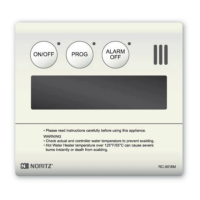
  • Turning the Water Heater ON/OFF: A dedicated Power Button/Indicator (Green) allows users to switch the water heater on or off.
  • Setting Hot Water Temperature: Users can adjust the desired hot water temperature using dedicated up/down buttons. The display shows the current set temperature, which can range from 100°F (37°C) to 185°F (85°C) depending on the product model and mode (°F or °C). For residential products (NR series), the maximum output temperature can be set up to 140°F (60°C), while commercial products (NC series) can go up to 185°F (85°C).
  • Automatic Water Heater ON/OFF Operation: The controller allows users to program a schedule for the water heater to automatically turn on and off at specific times daily. This feature is activated via the PROG Button/Indicator (Red).
  • Recirculation System Control (for compatible systems): For water heaters with recirculation capabilities, the controller manages the recirculation operation. This includes:
    • Automatic Recirculation: If "Synchro ON/OFF" is enabled, recirculation starts automatically when the Power button is turned ON.
    • Disabling Automatic Recirculation: Users can manually disable the automatic recirculation feature.
    • Manually Stopping/Starting Recirculation: Recirculation can be manually stopped or started as needed.
    • Setting Recirculation System Operation Timer: Multiple time periods can be programmed for the recirculation system to operate automatically, ensuring hot water is available at desired times.
  • Clock Adjustment: The controller features a clock display, which can be set and adjusted. In case of a power outage, the clock needs to be reset.
  • Locking the Remote Controller: To prevent accidental changes, the controller can be locked, disabling the PROG, MENU, and up/down buttons.
  • Customizable Settings (): This menu provides access to several advanced settings:
    • Limiting Maximum Output Temperature: Users can set a maximum temperature limit to prevent excessively hot water discharge.
    • Display Screen Power Saving Mode (powersave dsply): This feature allows users to conserve power by turning off the display completely or showing only the clock when the Power button is OFF.
    • Adjusting Display Screen Brightness: The display screen's brightness can be adjusted (Dark, Dim, Normal, Bright) or the backlight can be turned off.
    • Muting the Remote Controller (Touch sound): The controller's button press tones can be muted.
    • Error Tone Settings (For Multi-System Only): The error alarm tone can be muted.
    • Draining the Water Heater: Provides a guided procedure for draining the water heater, essential for maintenance or preventing freezing.
    • Flow Meter Alarm (Single Water Heater only): This feature allows users to set a specific volume of water for filling a tub. An alarm sounds when the preset volume is reached, preventing overfilling.
  • System Check (STATUS Button): Users can check the operational status of the water heater system, including the number of installed units, pump status, and recirculation status.
  • Error Code Display and Alarm: In case of a system failure, an error code blinks on the display, and an alarm may sound. The ALARM OFF button can be used to stop the tone.

Important Technical Specifications

  • Model: RC-9018M
  • Display: LCD screen with various indicators (Flame, Temperature Setting, High Temperature, Clock, Error Code, Locked, Recirculation Timer, Recirculation Operation).
  • Temperature Units: Configurable to display in °F or °C (default is °F).
  • Volume Units (for Flow Meter Alarm): Configurable to display in gallons or liters (default is gallons).
  • Power Consumption: The display gradually darkens after a period of inactivity to conserve power.
  • Power Outage Behavior: Clock settings need to be reset after a power outage. Automatic operation (PROG) is deactivated after a power failure.

Usage Features

  • Intuitive Interface: Buttons are clearly labeled (ON/OFF, PROG, ALARM OFF, MENU, BACK, ENTER, STATUS, Lock, ▲/▼) for ease of use.
  • Audible Feedback: The remote controller emits a tone when a button is pressed.
  • Visual Indicators: Green and Red indicators on the Power and PROG buttons, respectively, provide quick status checks.
  • Home Screen: Displays essential information like hot water temperature and clock when the Power button is ON.
  • Safety Warnings: Includes a DANGER warning regarding scalding risks when setting high water temperatures (above 125°F/52°C). "Hi temp" blinks and emits a tone for 10 seconds when temperatures are set to 125°F/55°C or higher.
  • Automatic Operation Activation: The PROG button activates programmed ON/OFF schedules for the water heater.
  • Recirculation Timer: Allows for multiple, scheduled recirculation periods to ensure hot water availability.
  • Error Display: Blinking error codes and audible alarms alert users to system malfunctions.

Maintenance Features

  • Draining the Water Heater: A guided procedure within the customizable settings helps users drain the water heater, crucial for preventing freezing damage and other maintenance tasks.
  • System Check (STATUS Button): Provides diagnostic information about the water heater system, including the status of pumps and units, which can be helpful for troubleshooting and maintenance.
  • Error Code Information: Error codes displayed on the controller, along with the Owner's Guide, assist in diagnosing and resolving issues.
  • Follow-up Service Information: The manual provides contact details for Noritz America Technical Support and advises consulting the Limited Warranty and Troubleshooting sections for service requests. It also describes how to check the model name and code when an error is displayed.
  • Scale Build-up Prevention: Noritz recommends setting water temperature as low as possible to prevent scale build-up in the heat exchanger.

Noritz RC-9018M Specifications

General IconGeneral
BrandNoritz
ModelRC-9018M
CategoryRemote Control
LanguageEnglish