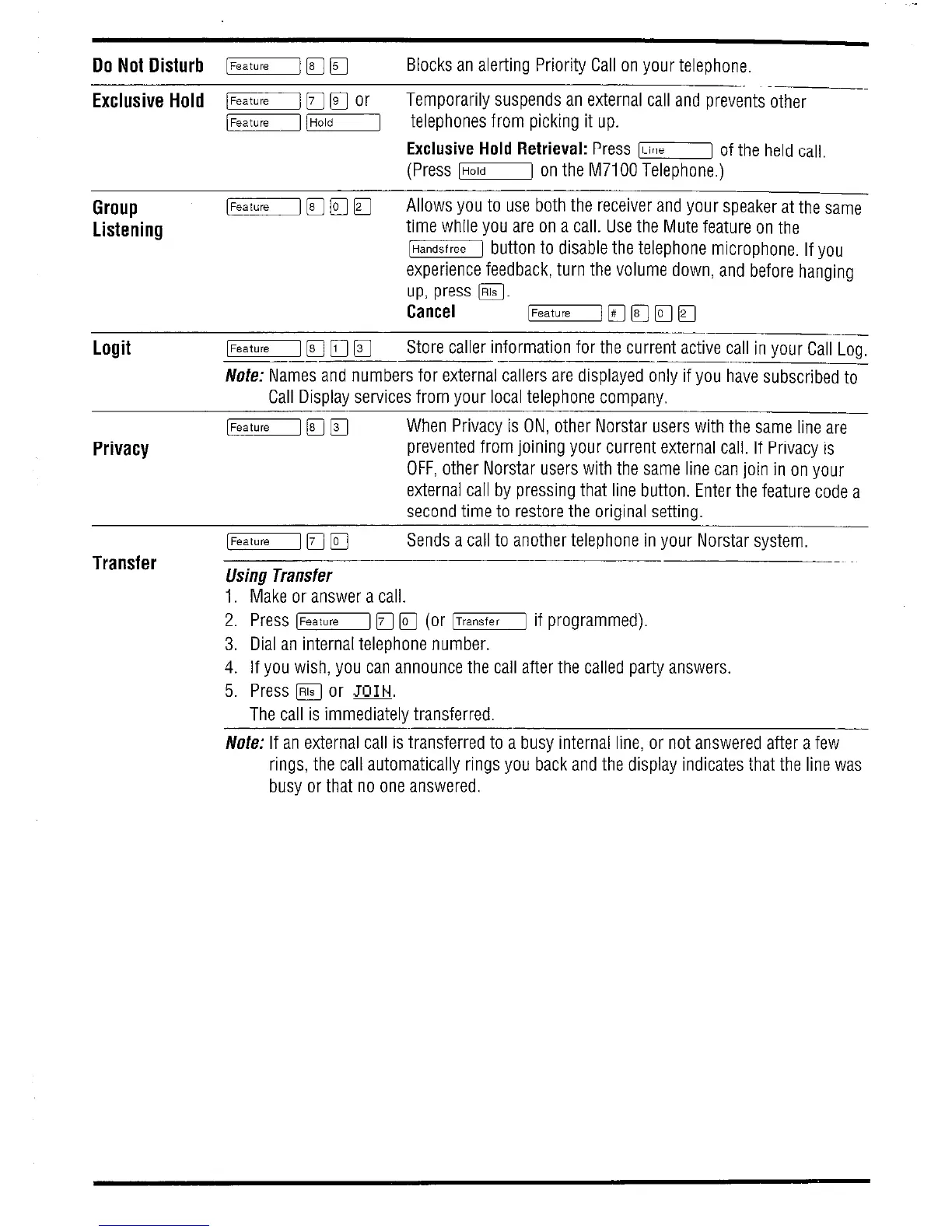
Do Not Disturb l-1 F
q
Blocks an alerting Priority Call on your telephone.
Exclusive Hold l-1 IF
q
or
Temporarily suspends an external call and preventsbther
/Feature1 /Hold1 telephones from picking it up.
Exclusive Hold Retrieval: Press 1-1 of the held calf.
(Press [Holdj on the M7100 Telephone.)
Group
Listening
Logit
Privacy
Transfer
[Feature] [q q q
Allows you to use both the receiver and your speaker at the same
time while you are on a call. Use the Mute feature on the
lHandsfreej button to disable the telephone microphone. If you
experience feedback, turn the volume down, and before hanging
up, press @j.
Cancel
[Featule/ [q m m q
-__
[Featuiel 171 n q
Store caller information for the current active call in your Call Log,
-__
Note: Names and numbers for external callers are displayed only if you have subscribed to
Call Display services from your local telephone company.
[Feature1 IF] q
When Privacy is ON, other Norstar users with the same line are
prevented from joining your current external call. If Privacy is
OFF, other Norstar users with the same line can join in on your
external call by pressing that line button. Enter the feature code a
second time to restore the original setting.
[Feature] 14 q
Sends a call to another telephone in your Norstar system.
Using Transfer
1. Make or answer a call.
2. Press [Feature] 171 m (or lTransfer1 if programmed).
3. Dial an internal telephone number.
4. If you wish, you can announce the call after the called party answers.
5. Press m or m.
The call is immediately transferred.
No&: If an external call is transferred to a busy internal line, or not answered after a few
rings, the call automatically rings you back and the display indicates that the line was
busy or that no one answered.


 To Next Page
 Loading...
