Call Forward
[Feature] ITi
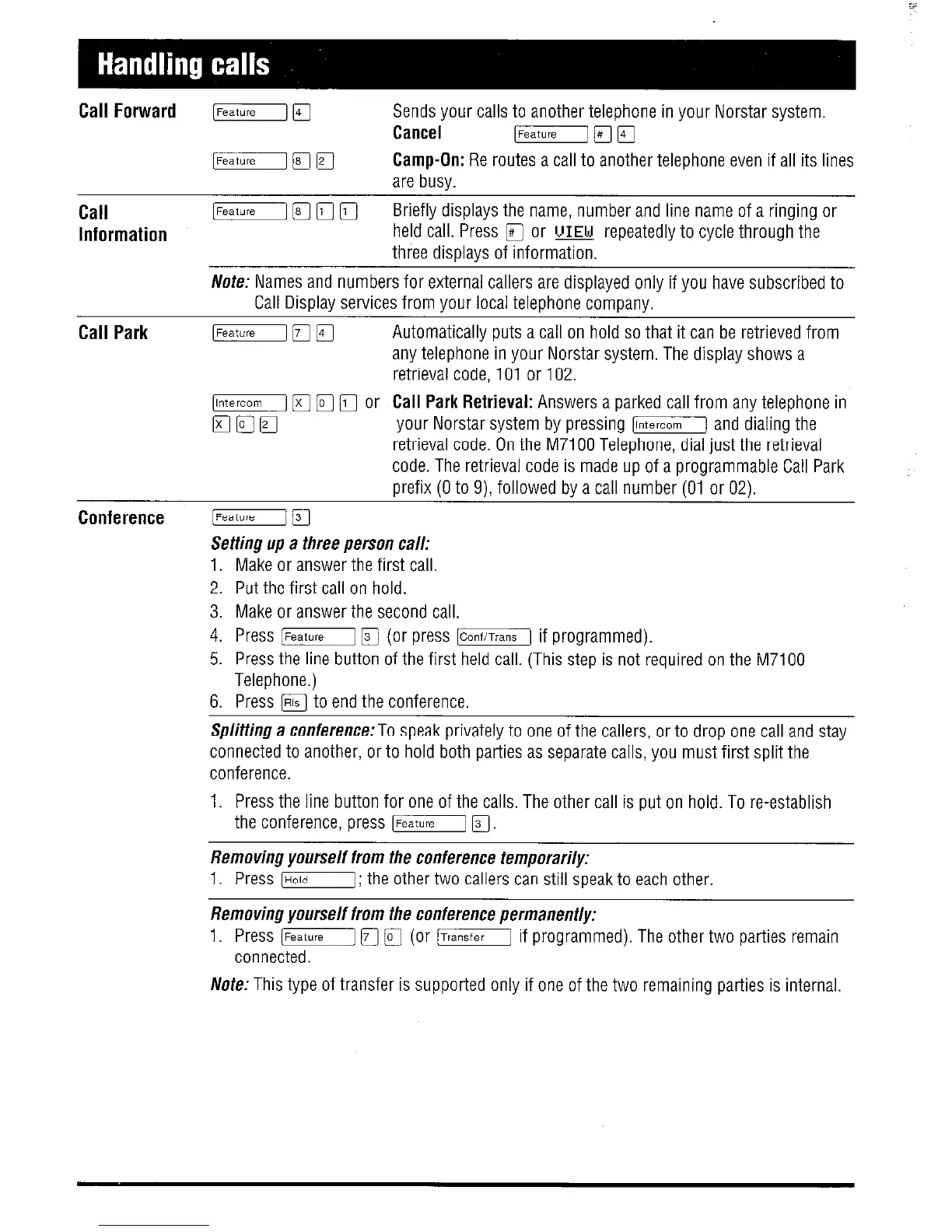
Sends your calls to another telephone in your Norstar system.
Cancel
[FeatureI 17;7 q
Call
Information
[Feature1 IFI q
Camp-On: Re routes a call to another telephone even if all its lines
are busy.
yj [F] q 0
Briefly displays the name, number and line name of a ringing or
held call. Press
q
or UIEW repeatedly to cycle through the
three disDlavs of information,
Nofe: Names and numbers for external callers are displayed only if you have subscribed to
Call Display services from your local telephone company.
Call Park
Conference
IFeatuiejlT~ q
Automatically puts a call on hold so that it can be retrieved from
any telephone in your Norstar system. The display shows a
retrieval code, 101 or 102.
IlnterCOm] [T]
q
0 or Call Park Retrieval: Answers a parked call from any telephone in
mam
your Norstar system by pressing 1-j and dialing the
retrieval code. On the M7100 Telephone, dial just the retrieval
code. The retrieval code is made up of a programmable Call Park
prefix (0 to 9) followed by a call number (01 or 02).
[Feature] 17-1
Setting up a three person call:
1. Make or answer the first call.
2. Put the first call on hold.
3. Make or answer the second call.
4. Press [Feature] [Fj (or press ICanfiTransI if programmed).
5. Press the line button of the first held call. (This step is not required on the M7100
Telephone.)
6. Press m to end the conference.
Splitting a conference:To speak privately to one of the callers, or to drop one call and stay
connected to another, or to hold both parties as separate calls, you must first split the
conference.
1. Press the line button for one of the calls, The other call is put on hold. To re-establish
the conference, press [Feature IFI.
Removing yourself from the conference temporarily:
1. Press [HoldI; the other two callers can still speak to each other.
Removing yourself from the conference permanently:
1. Press [Feature] IF]
q
(or ITransierI if programmed). The other two parties remain
connected.
Note: This type of transfer is supported only if one of the two remaining parties is internal


 To Next Page
 Loading...
