Page 1
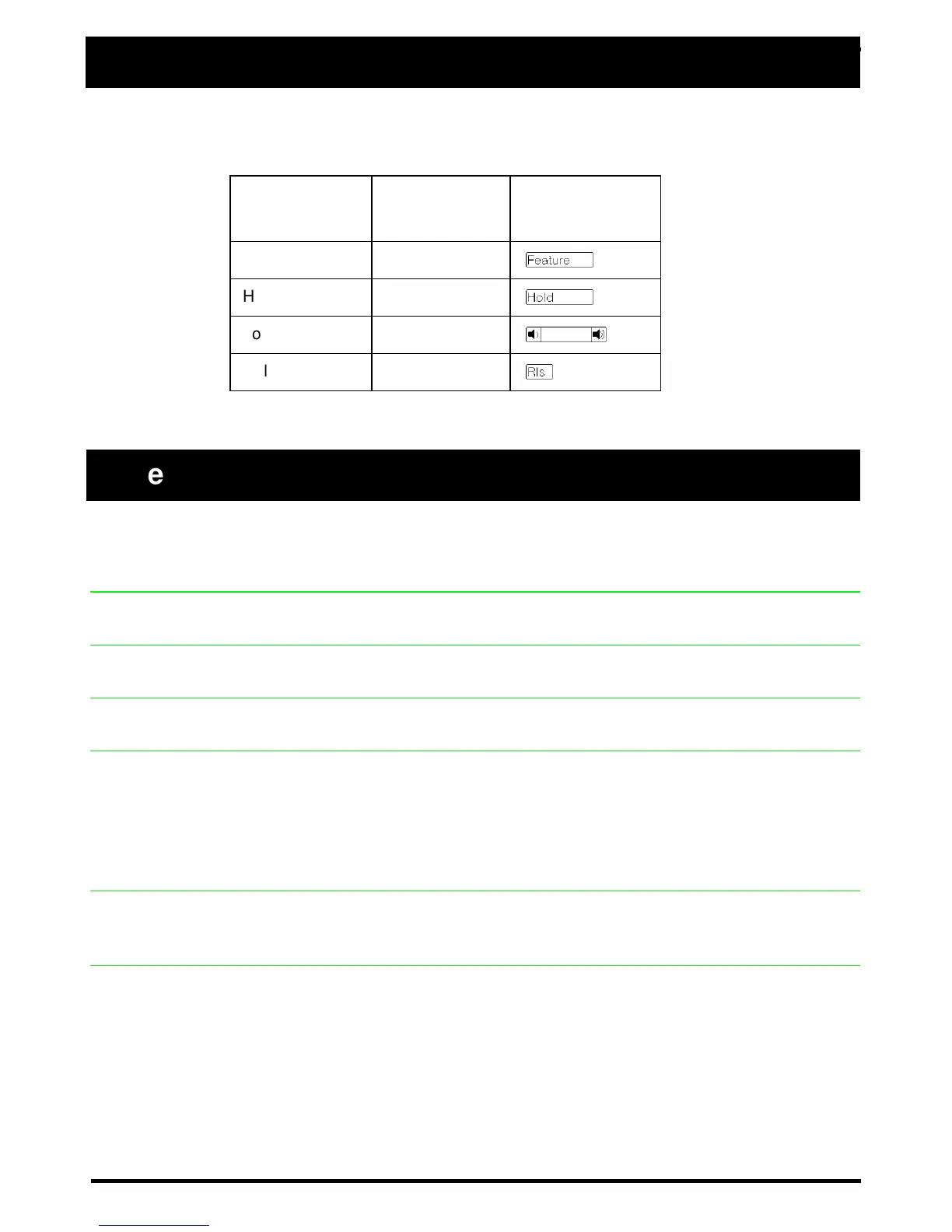
This card shows the Business Series Terminals buttons. The table below shows
which buttons to use on the different types of Nortel Networks telephones.
≤°fl Cancel ≤£°fl
Listen to music (provided by your office) through your telephone speaker when
you are not on a call.
≤•‚
Check what is programmed on any button. Use when labeling buttons.
≤‡‡
Briefly display the approximate length of your current or most recent call.
≤› Cancel ≤£›
Send your calls to another telephone in your system.
≤‡›
Put a call on hold so that it can be picked up from any telephone in your system.
The display shows a three-digit retrieval code.
To retrieve a parked call from a telephone, press an intercom button and dial the
retrieval code. On the T7100/M7100 telephone, just lift the handset and dial the
retrieval code.
≤‡fl
Answer any ringing telephone.
Press
≤‡fl and dial that telephone’s extension number.
≤‡fi
Answer a call that is ringing at another telephone in your pickup group. The
external call that has been ringing longest is answered first.
Button Name
T7100, T7208,
T7316
M7100, M7208,
M7310, M7324
Feature ≤
Ä
Hold ≥
ú
Volume Control √
Ã
Release ®
¨
Telephone features
Background
Music
Button
Inquiry
Call Duration
Timer
Call Forward
Call Park
Call Pickup -
directed
Call Pickup -
group
Buttons



 To Next Page