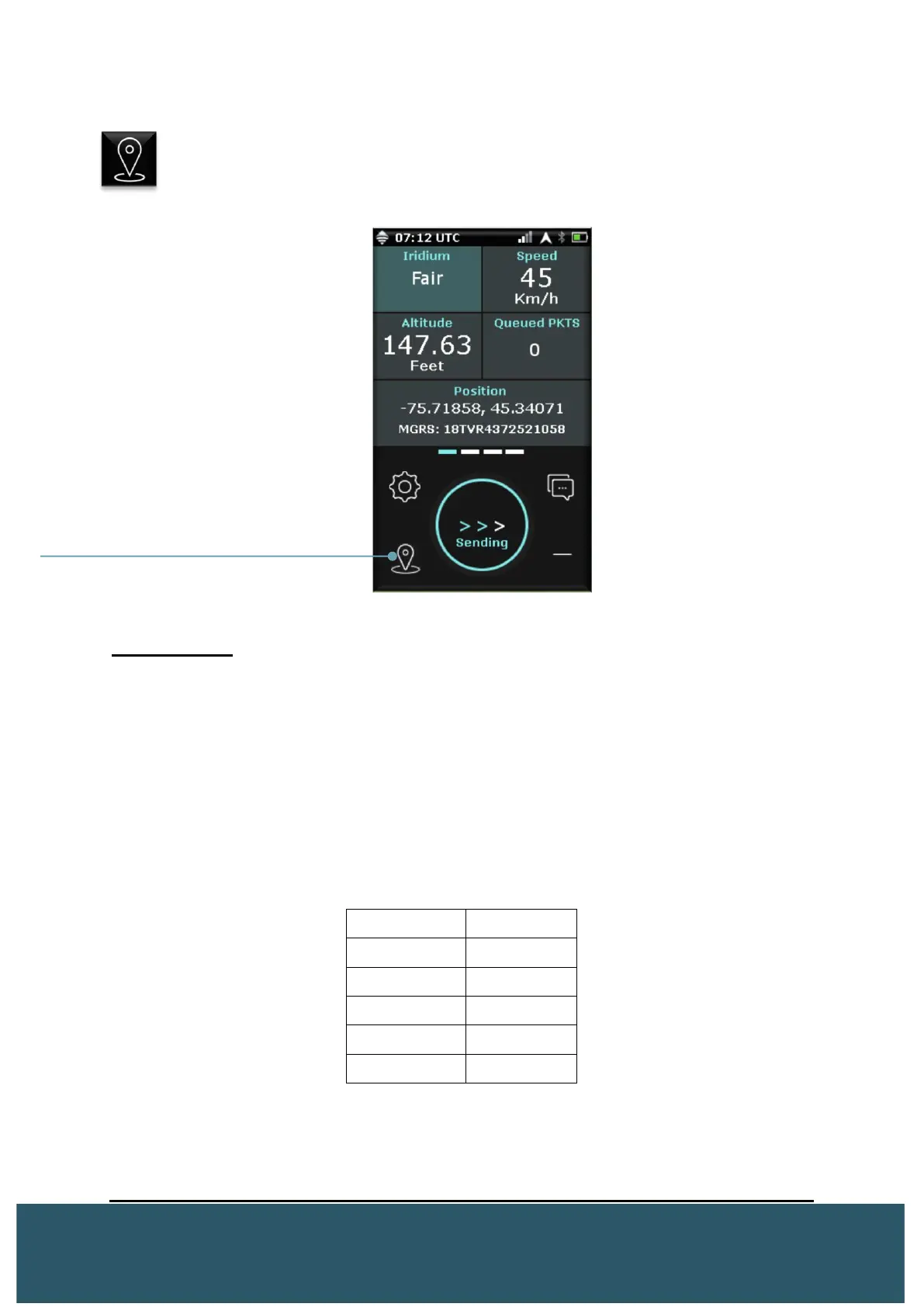
2.4 CHECK IN
Users can press the “Check-In” button to send a GPS report to the Platform at
any time. Once pressed, users will see the word “Sending” displayed in the
circle notification center.
Check-In Info
A check-in (GPS Report) will only send when the Wave has a GPS fix. With no fix, users
will see “No GPS” in the circle notification center.
• Data sent during a Check-In: Lat/Long, Speed, Heading, Altitude (If in Aviation)
• GPS reports Non-Encrypted = 8-12 bytes Encrypted = 16 bytes
A failed check-in (GPS Report) will act like any other data packet and will try to resend
depending on the Waves current report rate. The table below shows the amount of
retries based on the report rate.
Each try lasts from 12 seconds to 30 seconds


 To Next Page