2.5 MESSAGING
The ‘Messaging’ menu allows users to compose, view, and send canned and
free-text messages to the SCC Platform and other assets.
The Wave can support the following
• 21 unique conversations at a time
• 50 chat bubbles per conversation
• 31 contacts in a single conversation
• 235 queued packets (short messages/GPS reports)
2.5.1 SEND MESSAGE
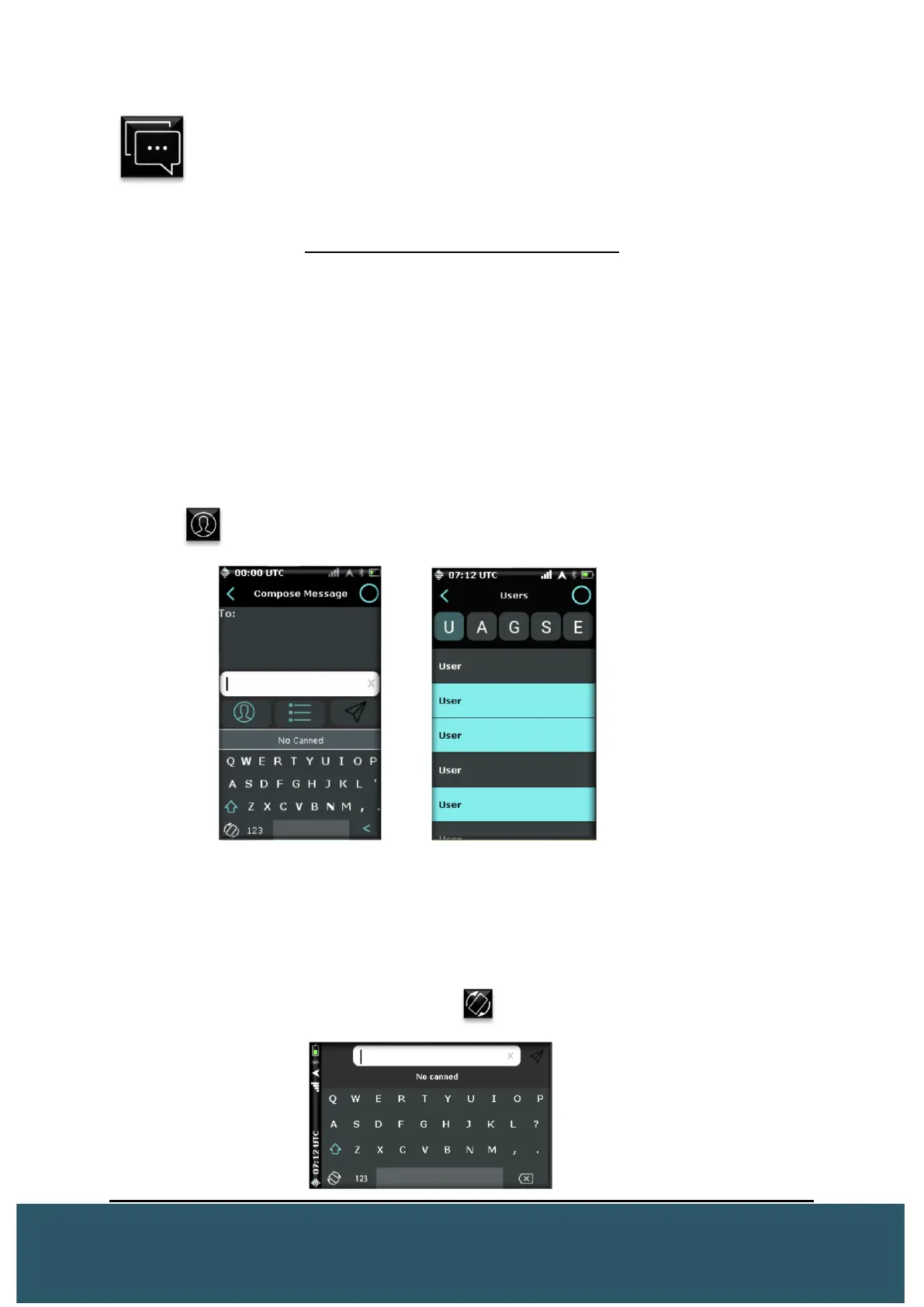
To send a message, press the “+” in the message menu. The compose message
screen will appear and users will be able to enter the intended recipients.
Press the and highlight recipient(s) by Group, Asset, or User. Once satisfied, press
the “<” to return to the message screen and compose your message.
Free Text: Users can input free-text with the on-screen keyboard. Each free-text
message can have up to 240 characters including spaces. A rubber pen can be used
effectively on the small keypad orientation.
*Note* – E-mail/SMS will have a decreased character limit as number or e-mail is included in the
text
Landscape Keyboard: Users can press the located at the bottom left of the on-
screen keyboard to turn the profile of the keyboard horizontally and use it as a standard
keyboard.


 To Next Page