
 Need help?
Do you have a question about the NORTAC DEFENCE WAVE and is the answer not in the manual?
Lists the items included in the standard and optional kits for the Wave device.
Details various functions like variable tracking, distance reporting, emergency alerts, and messaging.
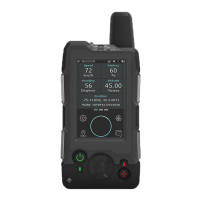
Describes the front and rear physical components and features of the Wave device.
Explains how the SCC Titan Platform manages GPS positioning and messaging data from the Wave.
Covers battery charging, replacement, power consumption metrics, and charger station details.
Provides instructions for turning the Wave device on and off using the power button.
Explains home screen icons, tiles, and status indicators for device information.
Covers navigation through menus using the resistive touch screen and physical hard keys.
Allows switching between Personal, Vehicle, Aviation, and Low Power tracking modes.
Customizes device functionalities like antenna mode, sounds, vibration, LED, time, and distance reporting.
Adjusts backlight timer and screen brightness for optimal power usage.
Allows changing the device's display language to French or Spanish.
Displays system information like firmware version, IMEI, and allows resetting device settings.
Procedure for sending a quick GPS report to the platform, including data sent and retries.
Covers composing, sending, and receiving messages, including free-text, canned, SMS, and email.
Details how to activate and reset emergency alerts via the dedicated button and system prompts.
Outlines physical dimensions, weight, connectors, electrical inputs, battery, and transceiver details.
Details operating temperature, humidity, storage conditions, and the device's IP67 rating.
 General
| Brand | NORTAC DEFENCE |
|---|---|
| Model | WAVE |
| Category | Conference System |
| Language | English |

 To Next Page