4
Adding Devices
»
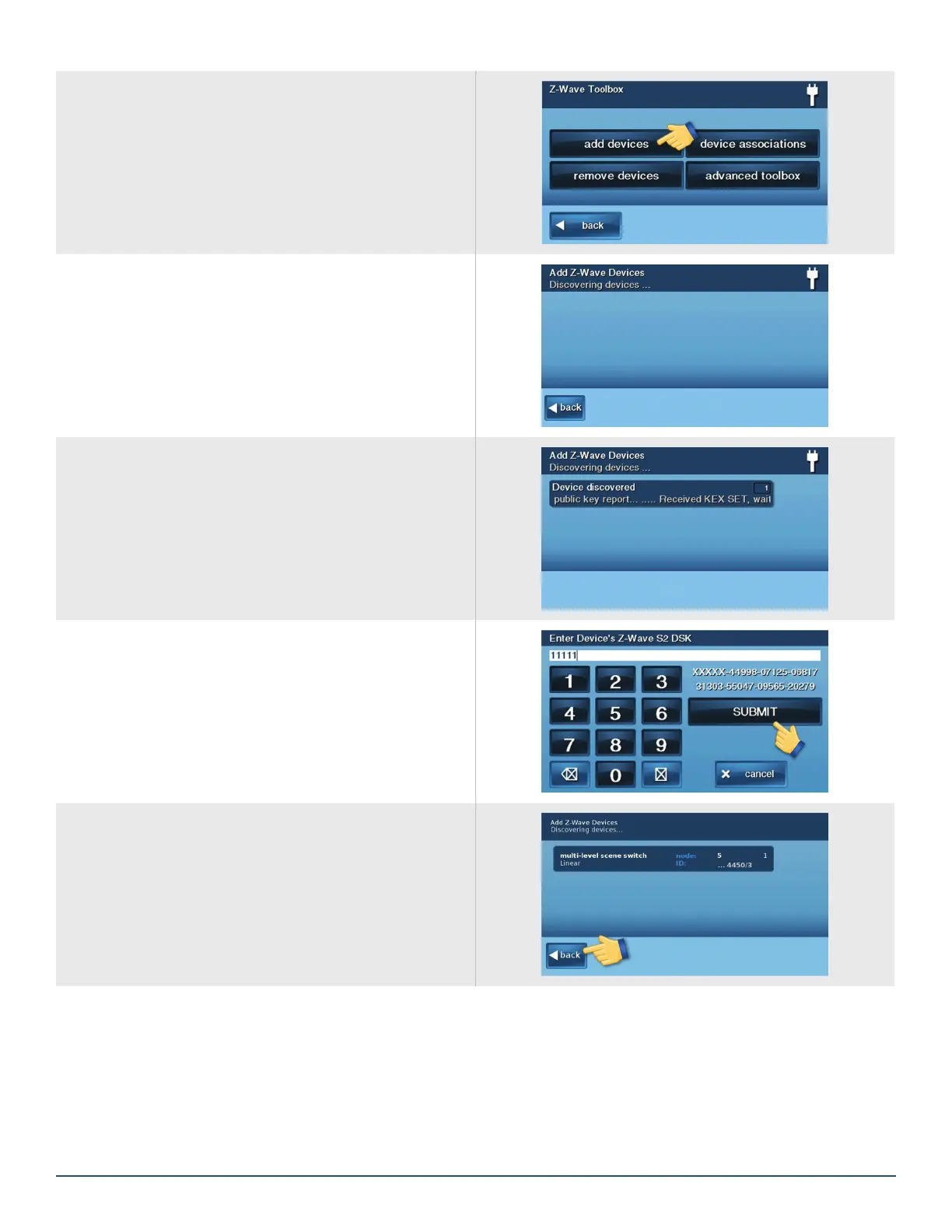
From the Z-Wave Toolbox, press the add devices
button.
The panel will begin listening for new Z-Wave Device
Follow the device manufacturing procedure for putting the
device into add/remove mode.
When the new Z-Wave device is discovered, the information
will be displayed on the learn screen.
Note: If you are adding a legacy S0 device, learning is
complete.
»
Enter the Z-Wave Plus devices DSK provided with
the devices instructions or on the device itself and
press the SUBMIT button.
When the learn process completes, the device and node
info will be displayed.
»
If all devices have been added, press the back
button to return to the Z-Wave toolbox.


 To Next Page