5
Z-Wave Add Failures
Inclusion Failure
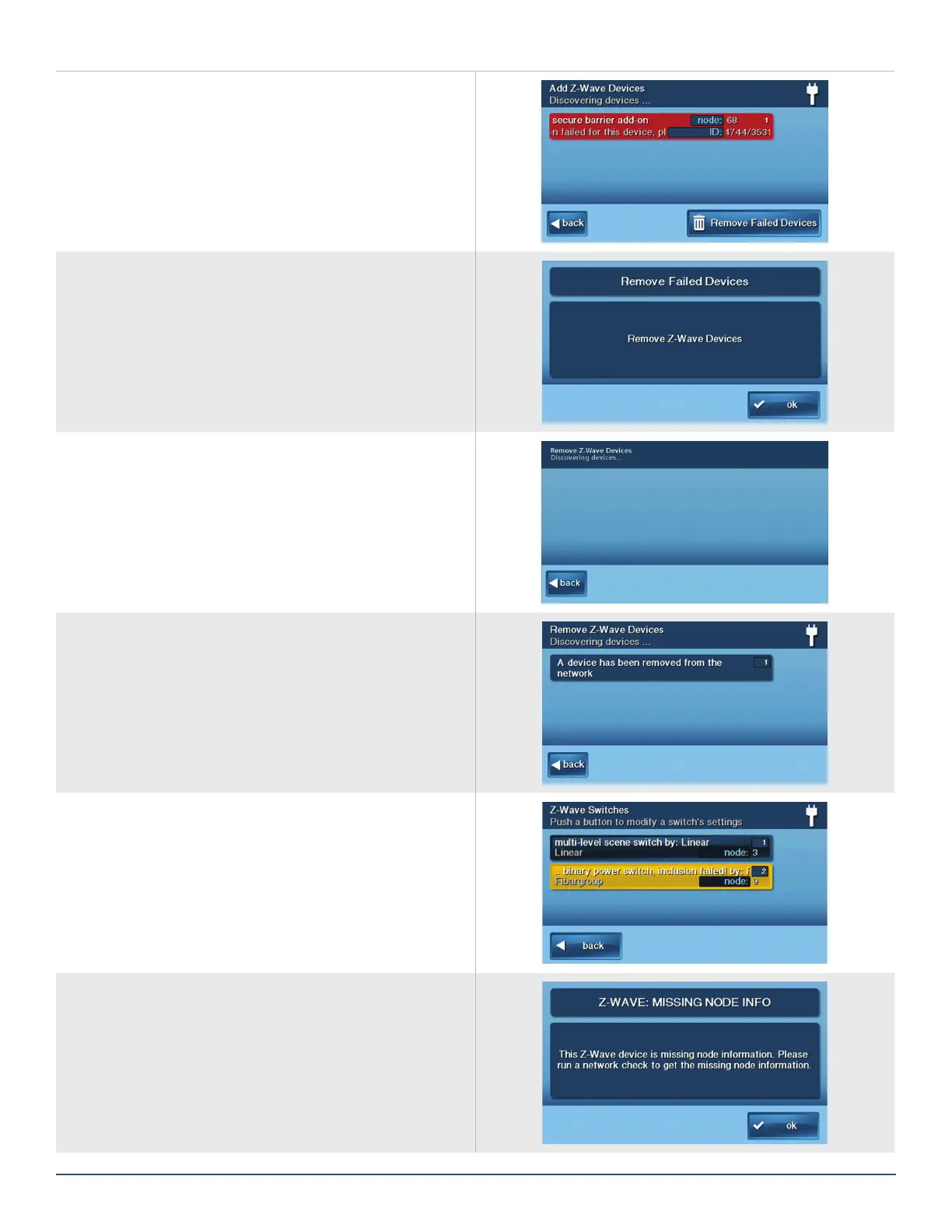
If a Z-Wave device fails due to a security inclusion failure,
the following screen will be displayed:
»
Press the Remove Failed Devices button.
»
Select OK.
The panel will display the Remove Z-Wave Devices
screen.
»
Press the learn button on the device to remove the
device.
The panel will display conrmation that the device has
been removed.
Missing Information
If a device is missing information after its inclusion, the
device will display in yellow and will indicate a failure.
(Services > Z-Wave > Devices > Switches/Thermostats/
Doors and Locks).
Selecting the device will display this message:


 To Next Page