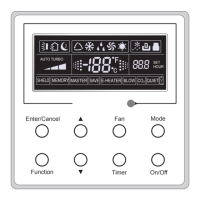
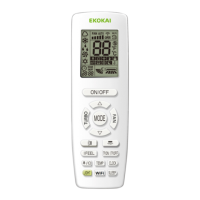
Wireless Remote Controller WLRC3
17
Ċ
Wireless Remote Controller WLRC3
Notes:
ķ
Be sure that there are no obstructions between the receiver and the remote controller;
ĸ
Do not drop or throw the remote controller;
Ĺ
Do not let any liquid into the remote controller or expose the remote controller to direct
VXQOLJKWRUH[WUHPHKHDW
ĺ
7KLVLVDJHQHUDOXVHUHPRWHFRQWUROOHU,I\RXSUHVVDEXWWRQIRUDIXQFWLRQQRWDYDLODEOH
ZLWKWKHHTXLSPHQWWKHXQLWZLOONHHSWKHRULJLQDOUXQQLQJVWDWXV
)XQFWLRQRI3UHVV%XWWRQV
)LJ
212)) )
Press this button to turn on/off the unit. After that, the sleep function will be canceled but the
preset time is still remained.
2) MODE
$XWR&RRO'U\)DQ+HDWPRGHVFDQEHVHOHFWHGFLUFXODUO\E\SUHVVLQJWKLVEXWWRQ$XWRPRGH
is the default. Under Auto mode, the temperature will not be displayed. Under Heat mode, the initial
value is 28
ć
(82
); Under other modes, the initial value is 25
ć
(77
).
Auto
Cool
Dry
)DQ
+HDW2QO\IRUWKHFRROLQJDQGKHDWLQJXQLW


 To Next Page
 Loading...