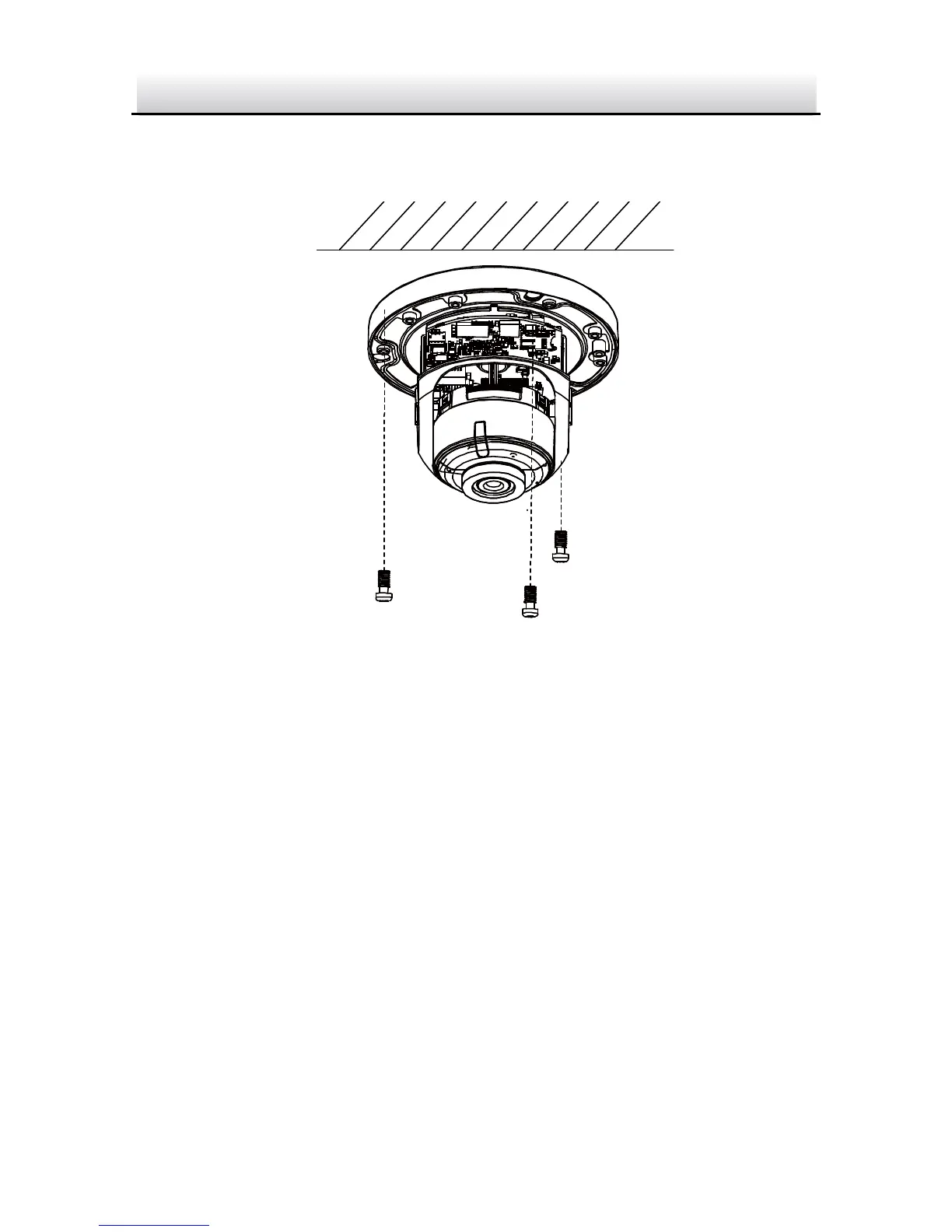
3. Route the cables and fix the mounting base on the ceiling with
three screws.
Fix the Mounting Base Figure 2-5
4. Adjust surveillance angle.
1). Loosen one tilting adjust adjusting screw to adjust the tilting
position. Tighten the screw after adjustment.
2). Hold the black liner to adjust the panning position.
3). Hold the lens to adjust the rotating position.


 To Next Page