Northstar Explorer 435/438 Installation and Operation Manual10
3 Setting up the Explorer 435 and Explorer 438
Press MENU twice to show the Setup menu, then select a particular option using the
or
cursor
keys. (Section 2 Basic Operation, describes how to use the keys in more detail.)
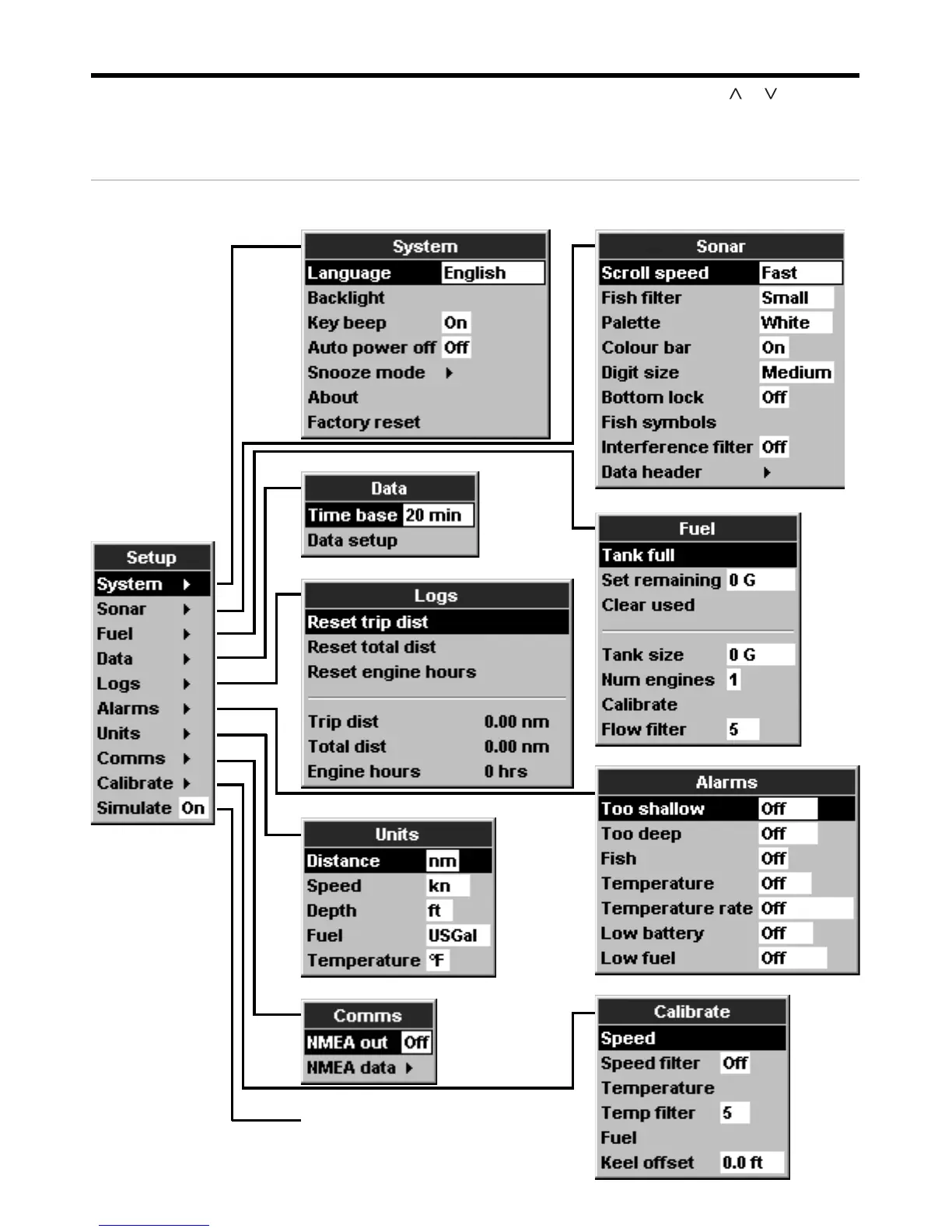
The Setup menu and options are summarized below. The factory default settings are shown where
applicable. Each Setup menu option is explained in the following sections.
The Setup menu and options
System - see section 3-1 Sonar - see section 3-2
Simulate - see section 2
Comms - see section 3-8
Alarms - see section 3-6
Data - see section 3-4
Logs - see section 3-5
Units - see section 3-7
Calibrate - see section 3-9
Fuel - see section 3-3



 To Next Page