33
REMOTE THERMOSTAT OPTION
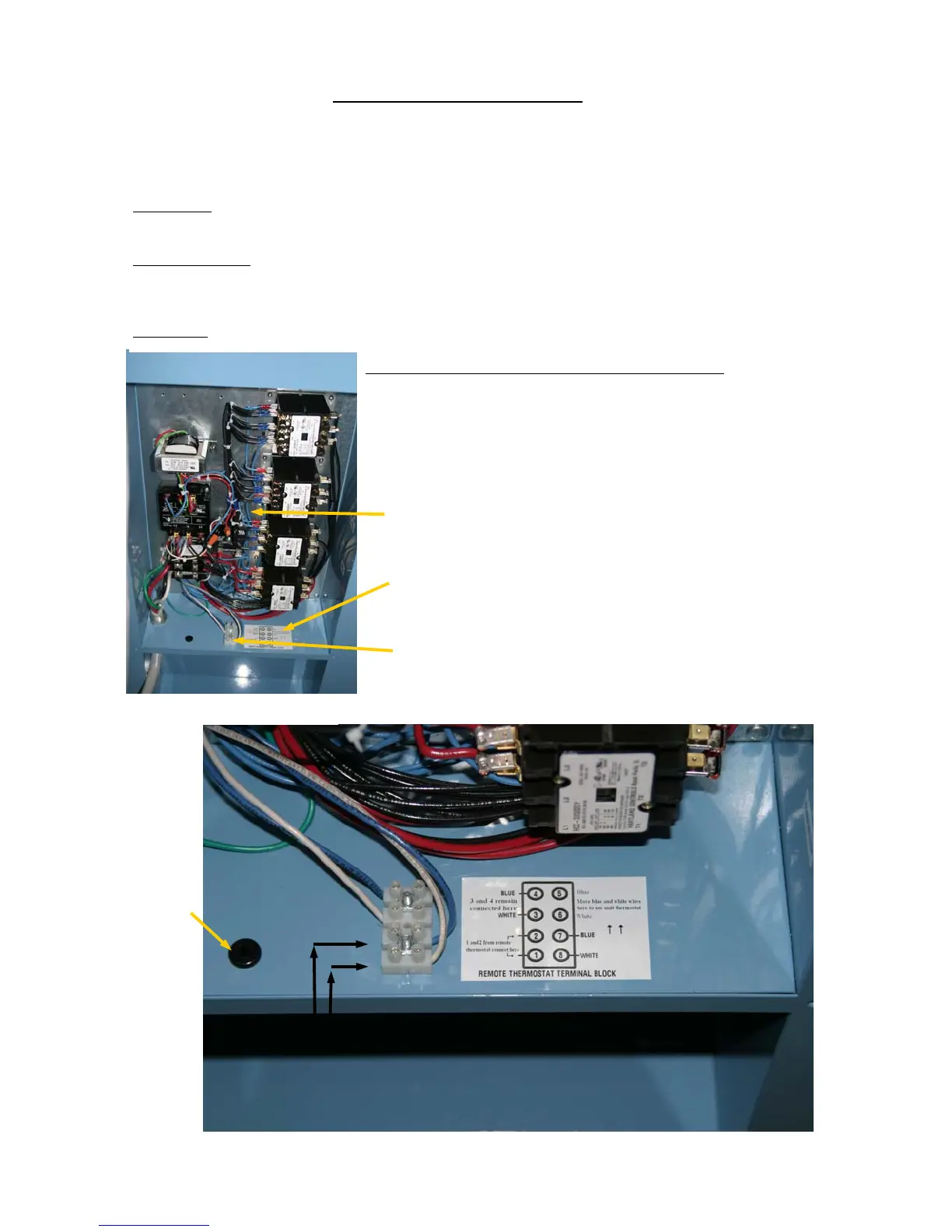
All MAC models are capable of being factory equipped to operate with a remote located 24 volt thermostat. When
this option is used, the unit’s thermostat remains in the unit but no longer controls. Control is transferred to the re-
mote thermostat through the remote terminal block located behind the electrical access panel.
CAUTION:
Do not attach any power or “live” wiring to the terminal block. The unit’s internal 24 volt power sys-
tem will operate the remote thermostat.
EASY TO WIRE:
The 2 wires from the remote thermostat are routed through the cord storage box, through the neo-
prene bushing and attached to terminals 1 and 2 on the remote thermostat terminal block. Terminal 7 (blue) and ter-
minal 8 (white) complete the circuit for the remote thermostat. No additional wiring required.
CAUTION:
Do not remove or change the wires on terminals 3 (white) and 4 (blue). They must remain connected.
TO REVERT TO UNIT’S INTERNAL THERMOSTAT: When the remote
thermostat is no longer required it is easy to convert to internal thermostat con-
trol. Simply move the white wire from terminal 8 to terminal 6. Then move the
blue wire from terminal 7 to terminal 5. This completes the circuit for using the
unit’s thermostat.
MAC60 CONTROL BOX
CORD STORAGE BOX
NEOPRENE
BUSHING FOR
REMOTE
THERMOSTAT
WIRES
ATTACH REMOTE
THERMOSTAT
WIRES HERE
CONTROL BOX
WIRING DIAGRAM & INSTRUCTIONS
REMOTE THERMOSTAT TERMINAL BLOCK


 To Next Page