Need help?
Do you have a question about the NORWii N86s and is the answer not in the manual?
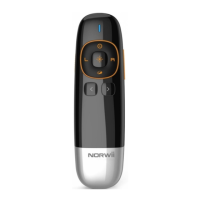
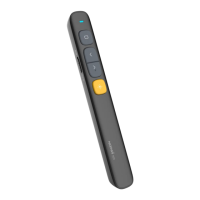
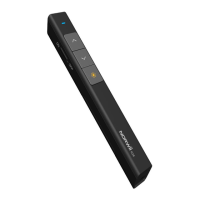
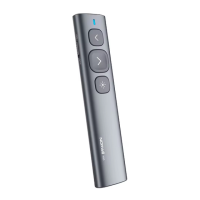
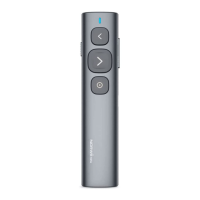
The Norwii N86s is a professional wireless presenter designed for various presentation environments, offering a range of features for efficient and dynamic control.
The N86s presenter supports essential navigation functions for presentations. It allows users to move to the previous page by clicking the "page up" key and to the next page by clicking the "page down" key. A long press on the "page up" key initiates slides playback from the current page, while a long press on the "page down" key enters a black screen mode.
A key feature is the multi-functional pointer key. Pressing and holding this key activates a digital laser, zoom-in, highlight, and mouse cursor control on the screen. A single click on the pointer key can open a video or hyperlink, and a double click switches between different pointer modes. These advanced pointer functions require the Norwii Presenter software to be running.
The device also includes a full-screen mark function, allowing users to mark the screen with one key and erase marks with another. Volume control is integrated, enabling adjustment of the computer's volume directly from the presenter.
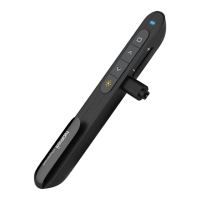
For enhanced cursor control, the N86s features an aerial mouse function, providing flexible and precise movement. The USB receiver is designed for convenience, integrating into the tail of the wireless presenter for easy storage and portability.
The presenter incorporates a Class 2 safe laser module, compliant with IEC/EN60825-1:2014 standards. It supports USB 2.0 and utilizes a universal USB driver for plug-and-play functionality across various operating systems. The "page up/down" keys are customizable via the Norwii Presenter software, and the USB receiver's firmware is updatable.
The power switch allows users to turn the presenter "ON" or "OFF." The physical laser key, when pressed and held, activates a physical laser beam, which turns off upon release.
When the Norwii Presenter software is running, the pointer key offers several modes:
Without the Norwii Presenter software, the pointer key has two modes, switched by a double click:
The air mouse key allows free cursor movement and can be pressed again to stop movement. The "left mouse" key functions as a computer's left mouse click, and the "right mouse" key as a computer's right mouse click.
The "mark" key enables drawing on the screen. Clicking it enters mark state, allowing users to draw lines and circles by holding down the mark key and moving the presenter. Releasing the mark key stops drawing.
The "eraser/volume" key serves a dual purpose. A single click erases marks. A long press (more than 1 second) activates volume control; moving the presenter up or down increases or decreases the computer's volume.
The N86s is compatible with popular presentation software like PowerPoint, Keynote, and Prezi. By default, the "page up" and "page down" keys correspond to the up and down arrows on the computer keyboard, supporting page navigation in PowerPoint and Keynote. Pressing "page up" and "page down" simultaneously for the first time switches their function to the left and right arrows, supporting Prezi navigation. A second simultaneous press switches them to "Page Up" and "Page Down" for internet browsers and Microsoft Photo software. A third simultaneous press reverts them to the default up and down arrows.
Transmitter:
USB Receiver:
Operation System Compatibility:
Installation:
Calibration: Calibration is necessary if the mouse cursor moves unintentionally or if horizontal/vertical movements on the presenter do not correspond to horizontal/vertical cursor movements on the screen. To calibrate:
Troubleshooting Battery and Laser Issues:
Troubleshooting USB Receiver Detection:
Software and Customization:
macOS Settings for Norwii Presenter Software:
Safety Warning: The product generates a laser beam. Users must NOT stare into the beam or expose users of telescopic optics to it. Avoid shining the laser beam into people's or animal's eyes to prevent eye damage. This product is not a toy and should not be given to children.
Battery Safety: The product contains AAA batteries. Do not dispose of the product in fire, as batteries may explode. Do not immerse the product in water or any other liquid, as short-circuited or damaged batteries may explode.
 General
| Brand | NORWii |
|---|---|
| Model | N86s |
| Category | Digital Presenters |
| Language | English |

 To Next Page