23
137-01-2305
128-0621-003
6.2.5 Speed knob
The speed knob has two functions: Speed control, Select & Confirm in FUNC.
• Fine speed Control - +/-5 RPM by turning it in clockwise or counter-clockwise while the LCD is on the Home Page
or the Motor Running.
• Coarse speed Control - +/-50 RPM by turning it in clockwise or counter-clockwise while the LCD is on the Home
Page or the Motor Running.
• Select & Confirm in FUNC- generally “Turn it to select, Push down to Confirm or Save”, More detail refer to FUNC
section below.
6.3 FUNC- Advanced Functions and features
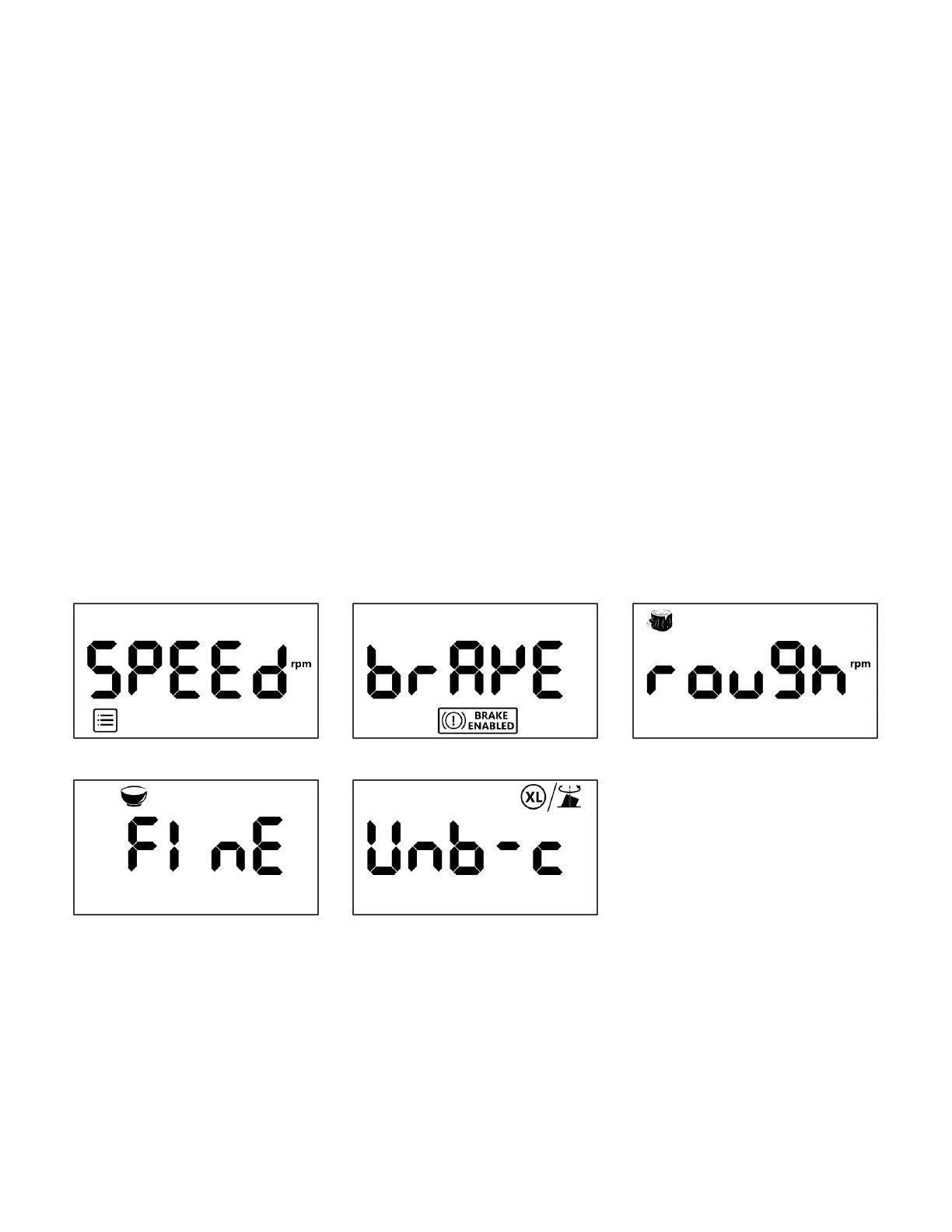
The FUNC menu provides 5 pre-set, programmable functions for multiple turning applications:
• Favourite speed
• Brake Enabled
• Speed chart for Rough cut
• Speed chart for Fine/Finish cut
• XL/Unbalanced Mode
6.3.1 General operation to Enter and Exit FUNC Menu
When the LCD is on the Home page, Press [FUNC] once to enter the function page, turn the speed knob clockwise or
counter clock wise, the LCD will show all 5 functions in a sequence:
Favourite speed->Brake Enabled->Rough cut->Fine cut-> XL/Unbalanced
When the LCD is on the function page(Lv.1), Press [FUNC] once again or Press [OFF] to exit back to the Home page*.
* Press [FUNC] in the function pages, it acts as “BACK” to previous layer, Press [OFF] means exit to Home page
directly.



 To Next Page