25
137-01-2305
128-0621-003
6.3.5 Speed chart for Rough cut
The speed chart is a recommend, editable speed guide/reference according to the diameters of the wood and type of
turning. It’s accessible whenever the motor is running or stop:
Step1: Press [FUNC] once on the Home page, turn the speed knob to Rough cut icon, and then press [ON] to enter the
Rough cut page or press [FUNC] or [OFF] to exit.
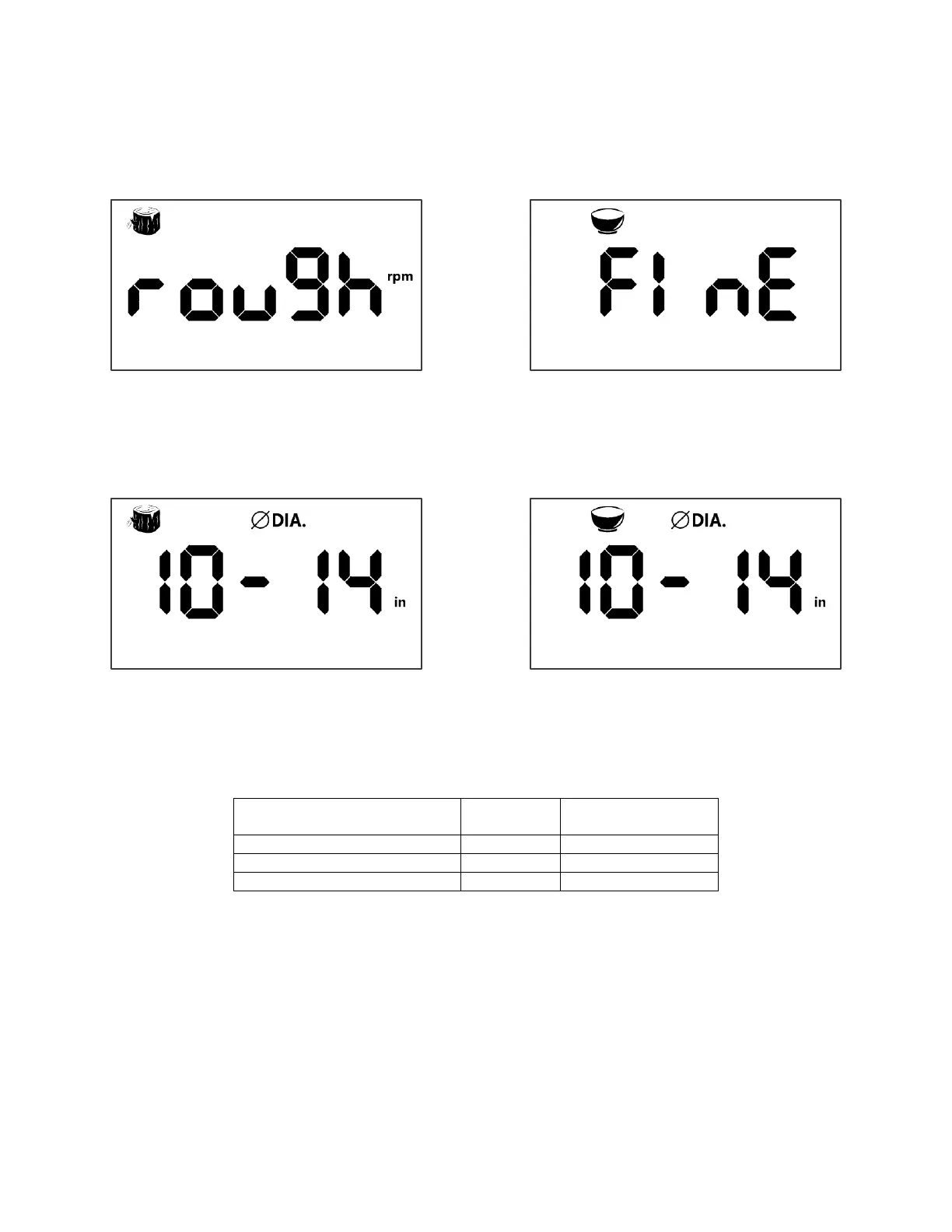
Step2: turn the speed knob to Diameter options# 1-3- small, medium and large size. Press [Down & Hold] the speed
knob for 3S to select Imperial or Metric, press [ON] to confirm or press [FUNC] or [OFF] to exit.
Rough Cut - Diameter Selection Page
Fine Cut - Diameter Selection Page
Step3: Once the wood size confirmed, press [ON] again, the LCD will show or run recommend RPM immediately on the
home page*. *The default speed chart for Rough cut as the table below.
To change default speed, as the wood size confirmed, adjust desired RPM and then press [ON] again the LCD will show
or run new speed immediately on the home page*. (*New setting is not saved into the memory).
To save a new speed, as the wood size confirmed, adjust desired RPM and press [Down & Hold] the speed knob until the
Rough or Fine icon becomes flashing and hearing a “beep”. Press [ON] again, the LCD will show or run new speed
immediately on the home page*. (*New setting is saved into the memory).



 To Next Page