NOVAR 315 Commissioning Instructions NOVAR315
Page 4 of 10
4 MANUAL MODE
Enter MANUAL mode from AUTO mode by pressing the button once.
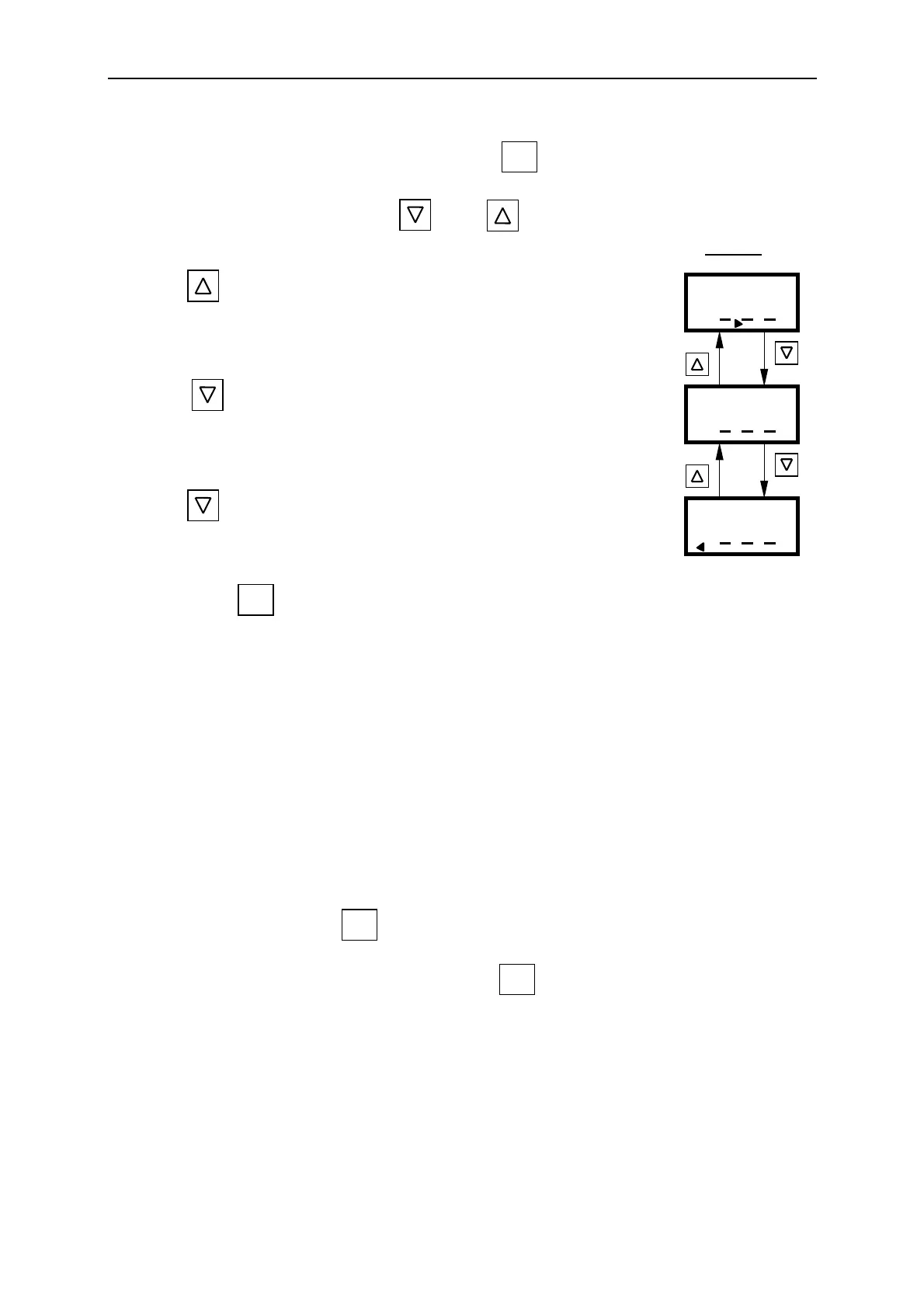
The capacitor switching is controlled with or as follows
display :
a) Press once. The NOVAR 315 will switch on the capacitors up to
the set limit one after the other after the safety lockout time elapses. Once
the limit is reached, the alarm output, if fitted, is switched on.
b) Press once, as soon as the number of capacitors required are
connected. Switching of the capacitor stages is now stopped and the alarm
is switched off.
c) Press once more. The NOVAR 315 will then switch off the
capacitors in sequence.
d) Press and hold to return to the “AUTO” mode.
WARNING
THE MANUAL FACILITY SHOULD NOT BE USED TO DISABLE CAPACITORS FOR
MAINTENANCE PURPOSES.
5 CHANGE SETTINGS MODE
NOTES :
• Even with no current, the settings may be changed.
• Just before the change settings mode is reached, all capacitor stages will be switched off
automatically. A safety lockout time will be imposed to allow the capacitors to discharge before
any further switching.
• When in the change setting mode, if no settings have been changed for five minutes, the NOVAR
315 will automatically reset and return to normal operation including all the new settings.
• A setting is changed when the button is pressed.
Before starting the setting procedure, press and hold the button until the NOVAR 315 is in the
AUTO mode with cosϕ displayed.
switch on
MANUAL
MANUAL
MANUAL
standby
switch off
Fn
Fn
Fn
Fn


 To Next Page