Installing the Lingo
Electronic Assembly on
the Baseplate
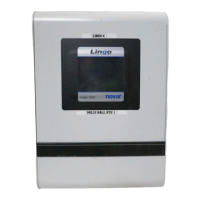
Use the following procedure to install the Lingo electronic assembly on the
baseplate.
Step Procedure
1 Remove the baseplate’s cover.
§
Use the hex wrench supplied in the hardware kit to loosen the
two screws at the bottom of the baseplate.
§
Lift off the cover.
2 Slide the Lingo electronics assembly down from the top of the
baseplate assembly and over the mounting posts.
3 Guide the DB25 and DB37 connectors on the Lingo electronics
assembly over the corresponding connectors on the Lingo
transition circuit board.
4 Tighten the two retaining screws with the hex wrench to secure
the Lingo electronics assembly to the baseplate.
5 Connect the telephone cable (see “Connecting to the Telephone
Network” below for more detail), Ethernet
®
Cable, and/or
RS-232 direct-connect cable as required for the application.
6 Check all wiring connections and reattach the Lingo Baseplate
cover.
Connecting to the
Telephone Network
If the application requires connection to the telephone network, a telephone
interface jack must be located at the installation site.
NOTE! The telephone interface jack is normally supplied by the
telephone company and should be type RJ-11C. The jack
should be located no more than 6 feet from the Lingo.
Thread appropriate telephone cable from the telephone interface jack through the
knock-out on the side of the baseplate assembly and insert it into the phone line
connection located at the top left side of the Lingo’s transition circuit board.
Doc. #569066000—B 7/30/04 3
Lingo Electronic Assembly Installation Instructions


 To Next Page