MT 3060 User Guide 23
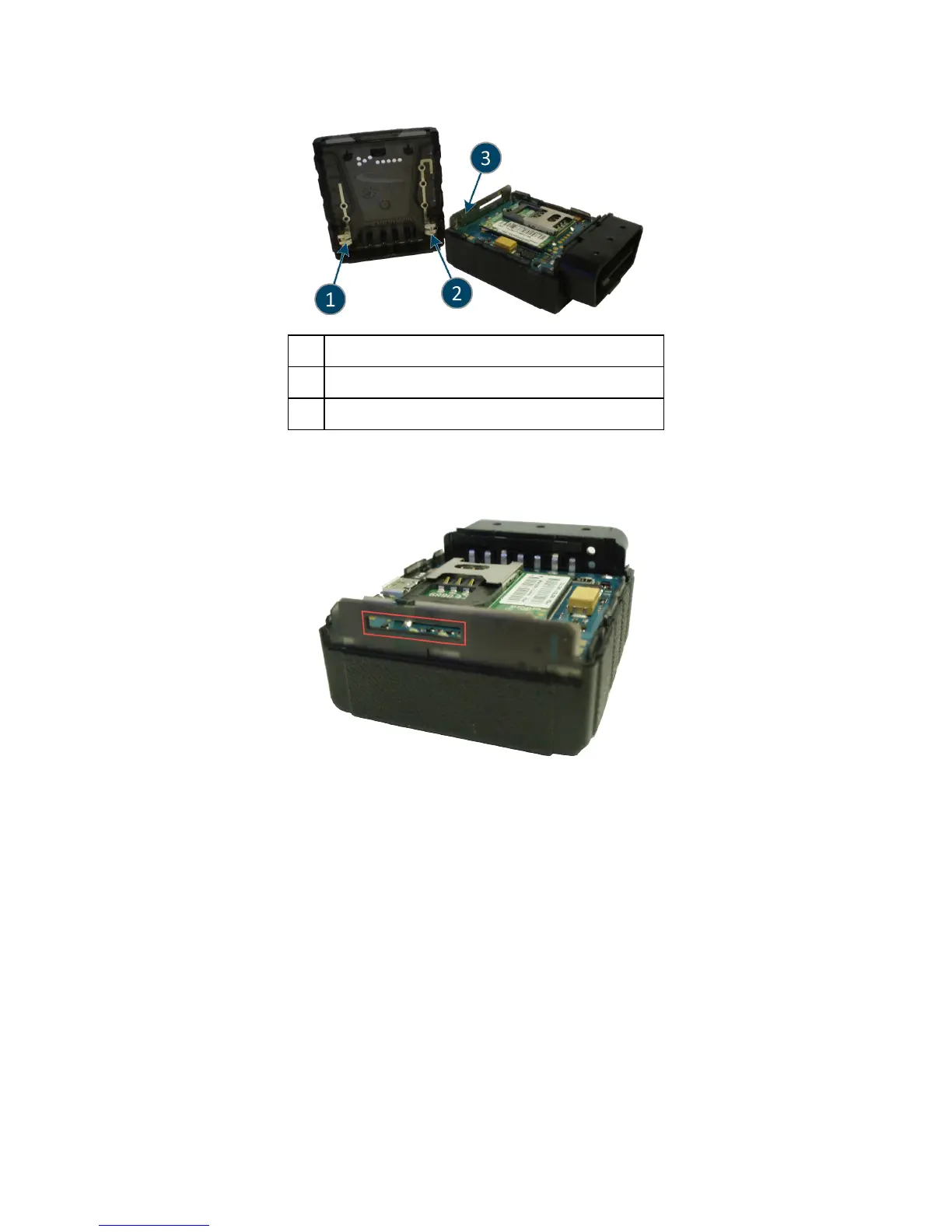
1 Bluetooth Antenna (Not currently supported)
2 GPS Antenna
3 Cellular Antenna
2. After you have removed the device cover, locate the SIM holder within the device.
3. Insert the SIM through the slot in the Cellular Antenna and into the SIM holder.
4. Place the MT 3060 cover onto the base of the device as shown in the following figure.
5. Apply gentle downward pressure to the back of the cover first and then carefully slide the cover
into place.



 To Next Page