Calibration and setup (SETUP) function:
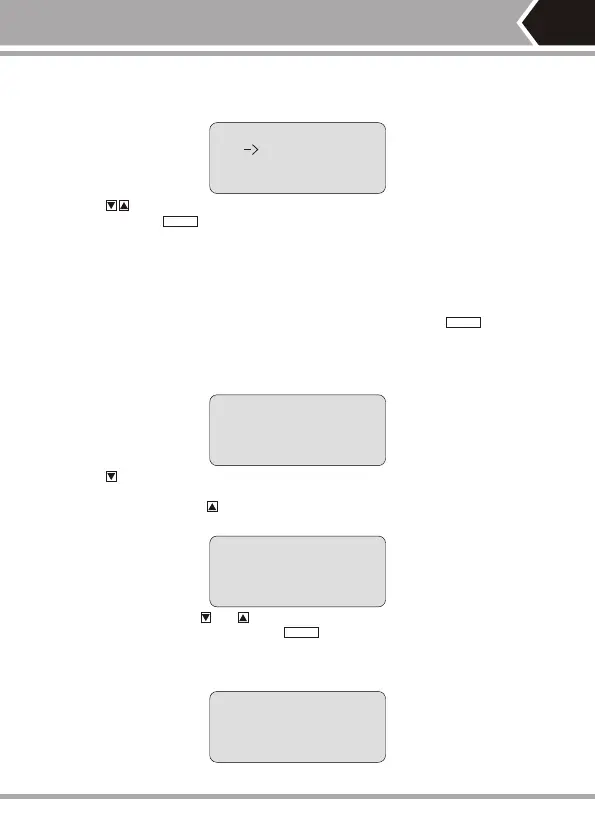
After entering into calibration and setup (SETUP) function, the tester shall
display as follows:
----se t u p ----
U n i t : m e t e r
C a l i b r a t i o n
Q u i t
Push key to move cursor indicator up and down to the desired item
and then push key to enter related setup function accordingly.
UNIT: It is used to set up length unit and shifts between meter (Meter)
and feet (FT).
CALIBRATION is calibration function.(Detailed as related chapters hereinafter)
QUIT is used to return the main menu.
“—>”
Dynamic calibration (CALIBRATION) function:
(Another way to quickly enter into dynamic calibration: hold key while
start the tester)
For an accurate measurement of cable length,the calibration operation should
be done as follows.
After entering into dynamic calibration function, the tester shall display as
follows:
C A L I B R A T I O N ?
N O Y E S
Push key (No) to exit calibration function.
Insert same type cable of given length into M port, do not need insert far-
end recognizer, push key (Yes) to undertake measurement and display the
measured length (as shown below):
“ ”
P i e a s e a d j u s t ?
2 0 . 0 m
- o k +
At the moment, hold and key (-/+) to display the length to be adjusted to
actual given length and then push key to reserve calibration factor and
exit calibration function.
It will display as follows if the cable length being measured is too short
(<5M) to remind the user to change a longer cable for calibration:
C a b l e t o s h o r t !
c o h t i n n t . c a i
N o y e s
-10-
PAIR&L
PAIR&L
PAIR&L


 To Next Page