27
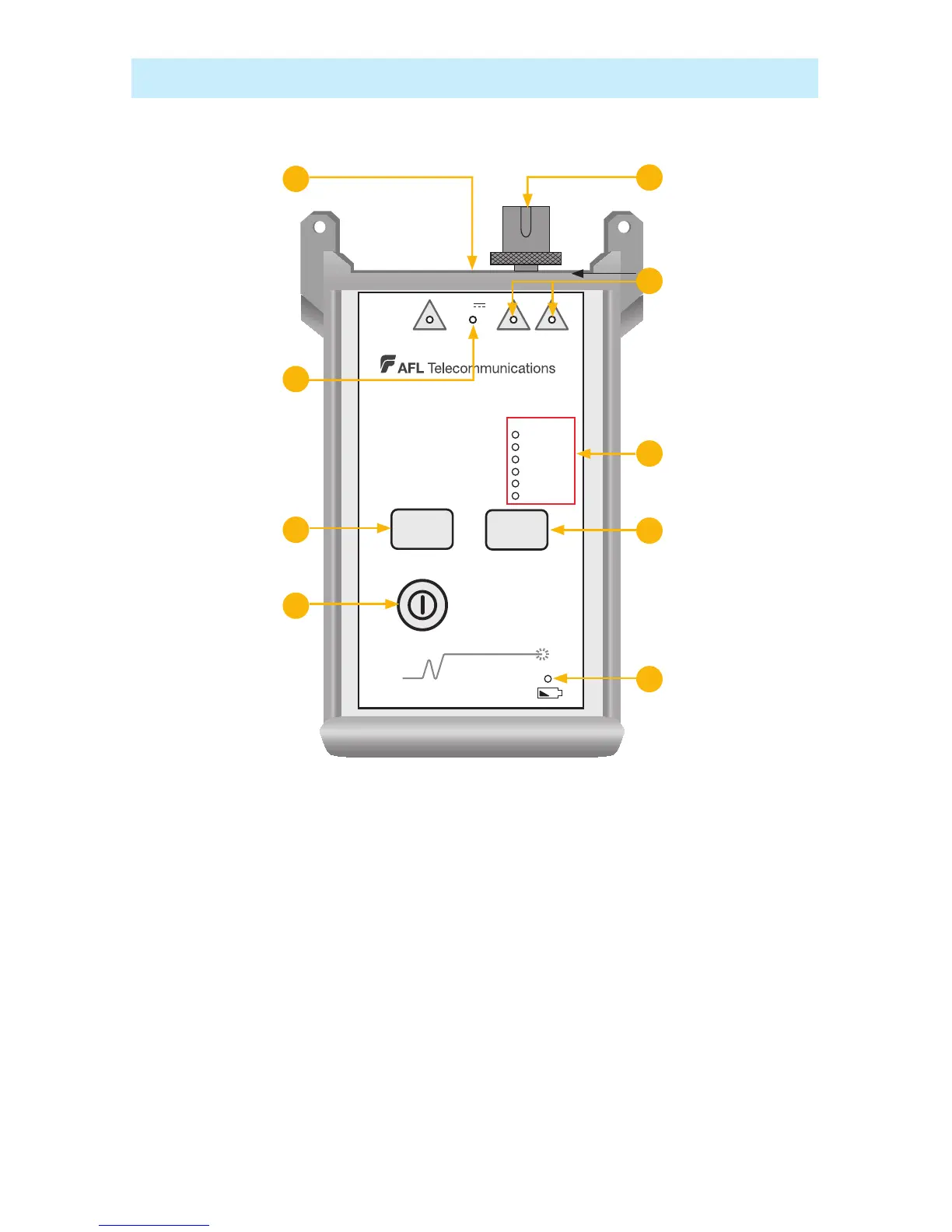
OLS7-FTTH Features
Power key1. - Press this key to turn the OLS7-FTTH on or off. When the unit is turned on, it returns to
the last operating condition it was in prior to being turned off.
Power port2. (located on the top panel) - This is the interface for an AC power adapter.
External Power indicator3. - Lights up, whether the unit is on or off, when the correct AC power
adapter is connected.
Low Battery indicator4. - Lights up when a Low Battery condition exists; batteries require
replacement.
Output port 5. - Universal Connector Interface (UCI). Accepts swappable SC connector (ST, FC, and LC
connector styles are available).
Active Output indicators -6. The Active Output indicators light up when the corresponding output port
is on.
Wavelength -7. l key - Wavelength select key changes the active output wavelength(s) as indicated
below for each operational mode.
OLS7-FTTH Triple Wavelength Laser Source



 To Next Page