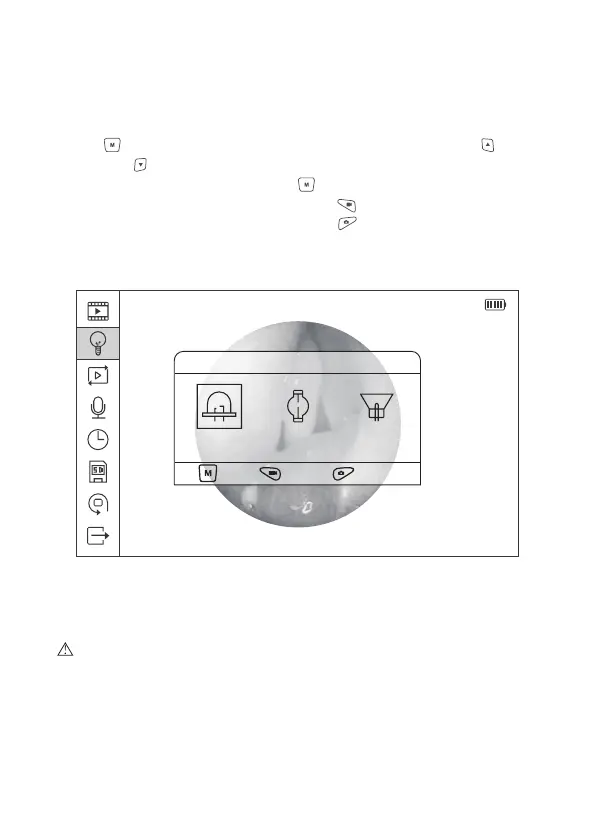
Figure 11 Light Source Settings
2014/08/14 20:36:30
Light Source
OK , Back , Quit Menu
LED XENON HALOGEN
2.8.2 Light Source Settings
In the Main Menu interface, select the second icon, and press Menu/Set
Button to enter Light Source Setting menu. Press the Upward and
Downward button to select among “LED Light”, “Xenon Light”, and
“Halogen Light”. Press Menu/Set Button to confirm the selection, and back
to the previous menu; press the Video button , the system will return to the
previous menu directly; press Photo button to exit the main menu and
back to the Preview mode.
Caution: We do not provide Light Source for this product. External light
source is needed to use with this device. In the interface of the Light Source
Setting there are “LED Light”, “Xenon Light” and “Halogen Light” available for
option, please select the correct setting according to the type of external light
source which intended to be used.
17


 To Next Page