2014/08/14 20:36:30
Notice
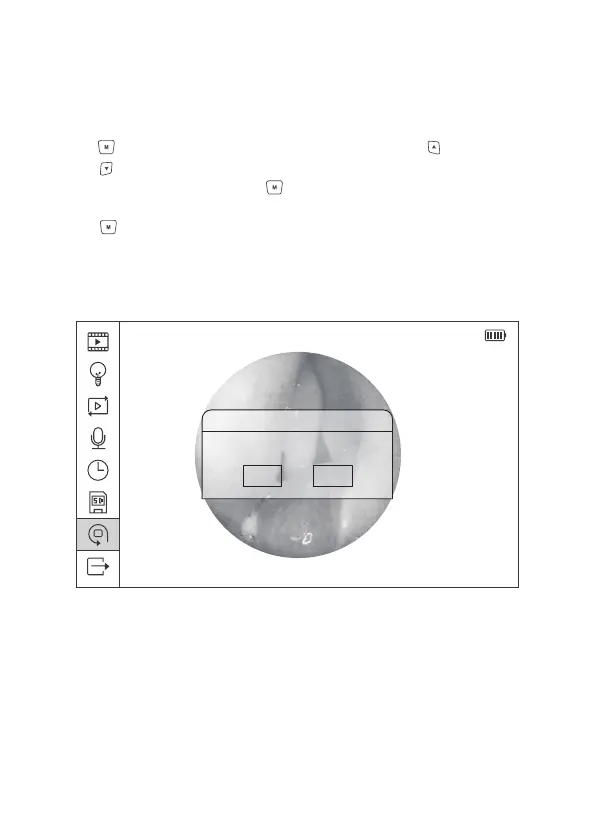
Return menu setting
to defaults
OK
Cancel
Figure 18 Reset to Factory Setting
2.8.7 Reset to Factory Settings
In the main menu interface, select the Seventh icon, and press Menu/Set
button to reset the system to factory setting. Press Upward or Downward
button to select confirmation or cancellation option. Select the confirmation
option, press the Menu/Set button to reset the system to the factory settings
and back to the previous menu; select the cancellation option, press Menu/Set
button to return to the previous menu directly.
23


 To Next Page