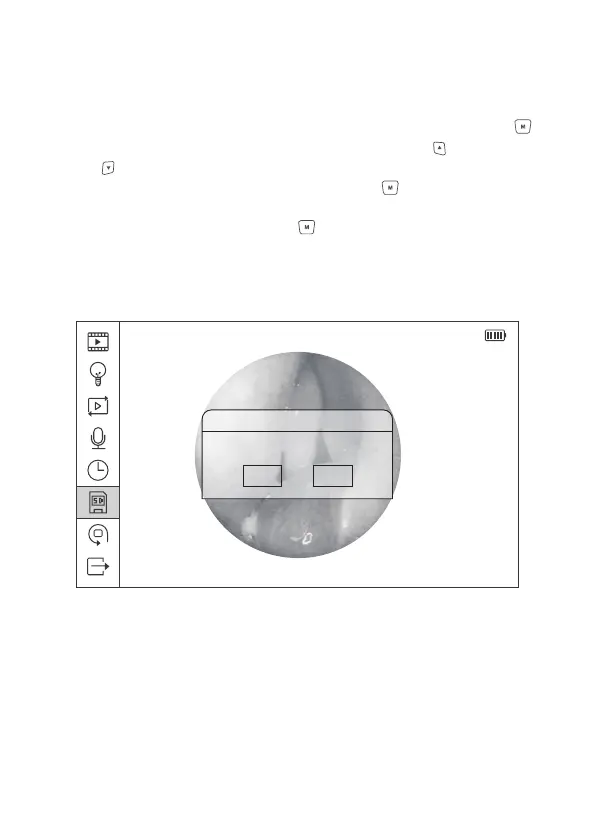
2014/08/14 20:36:30
Notice
All data will be deleted
OK
Cancel
Figure 17 Micro SD Card Formatting
2.8.6 Micro SD Card Formatting
In the main menu interface, select the Sixth icon, and press Menu/Set button
to enter the menu of Micro SD Card Formatting. Press Upward or Downward
button to select confirming or canceling the formatting process. Select the
Confirmation option, and press the Menu/Set button to remove all the data
in the Micro SD Card and back to the previous menu; select Cancellation
option, and press the Menu/Set button to return back to the previous menu
directly.
22


 To Next Page