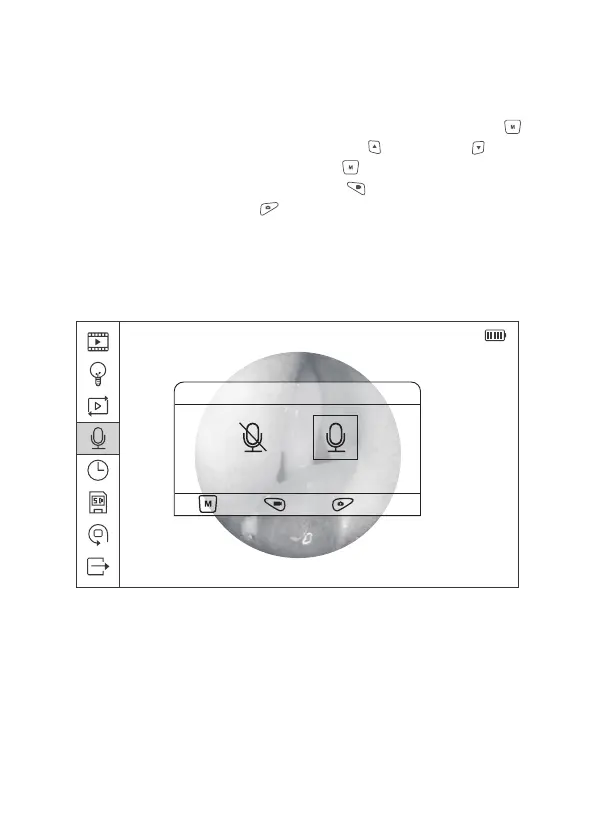
2014/08/14 20:36:30
Record Audio
OK , Back , Quit Menu
OFF ON
Figure 15 Audio On/Off Settings
2.8.4 Audio Recorder Settings
In the main menu interface, select the Fourth icon, press Menu/Set button to
enter the Audio On/Off setting menu. Press Upward or Downward button
to seclect On/Off option; press Menu/Set button to confirm the selection and
back to the previous menu; press Video button to return to the previsous
menu directly; press Photo button to Exit the menu and back to the preview
mode.
20


 To Next Page