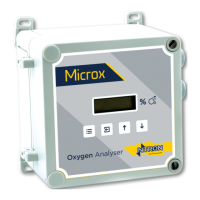
Ntron OxyTX
Operation and Installation Manual
Revised:10/2013 ECN00008
Part No.:01-507
Ntron Ltd, Mullaghboy Industrial Park, Navan, Co Meath, IRELAND
Tel: + 353 (46)9071333 • Fax: + 353 (46)9071331 •
Email: info@ntron.com • Website: www.ntron.com/ntron
Ntron Ltd, Dallam Court, Dallam Lane, Warrington WA2 7LT, UNIITED KINGDOM
Tel: + 44 (161) 930 8690 • Fax: + 44 (161) 930 8691
The ‘FGD3’ menu system is as follows: -
Cal Number Function
1 Zero Sensor
2 Sensor Span
3 Select FSD
4 Setting 4mA Level
5 Setting 20mA Level
6 Display Mode
7 Display Firmware Version
8 Restore
9 View Engineer/Diagnostics Data
12 Cross Reference
19 Positive Zero Suppression
20 Negative Zero Suppression
30 Password
Zero Sensor (Menu Mode C:1):
This calibration feature allows the instrument to determine the sensor output under
zero gas conditions.
• Apply zero gas (zero grade/UHP Nitrogen) to the sensor inlet and allow enough
time for the sensor to respond and all the gas to be purged (typically 2 minutes
minimum dependent upon flow rate).
• Select menu mode C: 1 and press ENTER.
• Press ENTER to perform the ZERO calibration. Pressing MENU instead of
ENTER aborts the calibration (the ZERO factor will still be displayed on exit).
• Press MENU – the display will show the ZERO factor for the instrument before
returning to its standard mode of operation.
The ZERO factor should be recorded on any calibration certificates completed.
P
AGE 9 OF 19



 To Next Page