8.2.5 Shutting device down
Turn off the device as described in paragraph 6.4.
8.2.6 Operating Details
8.2.6.1 Shortcut Button
Electrotherapy Therapy button:Pressing this button can enter Electrotherapy Therapy
screen which is selected last time.
Ultrasound Therapy button: Pressing this button can enter Ultrasound Therapy screen
which is selected last time.
Combination Therapy button: Pressing this button can enter Combination Therapy
screen which is selected last time.
Treatment button: Pressing this button can enter Treatment screen which is selected last
time.
Favorites button: Pressing this button can enter Favorites screen which is selected last
time.
Clinical Protocols button: Pressing this button can enter Clinical Protocols screen which
is selected last time.
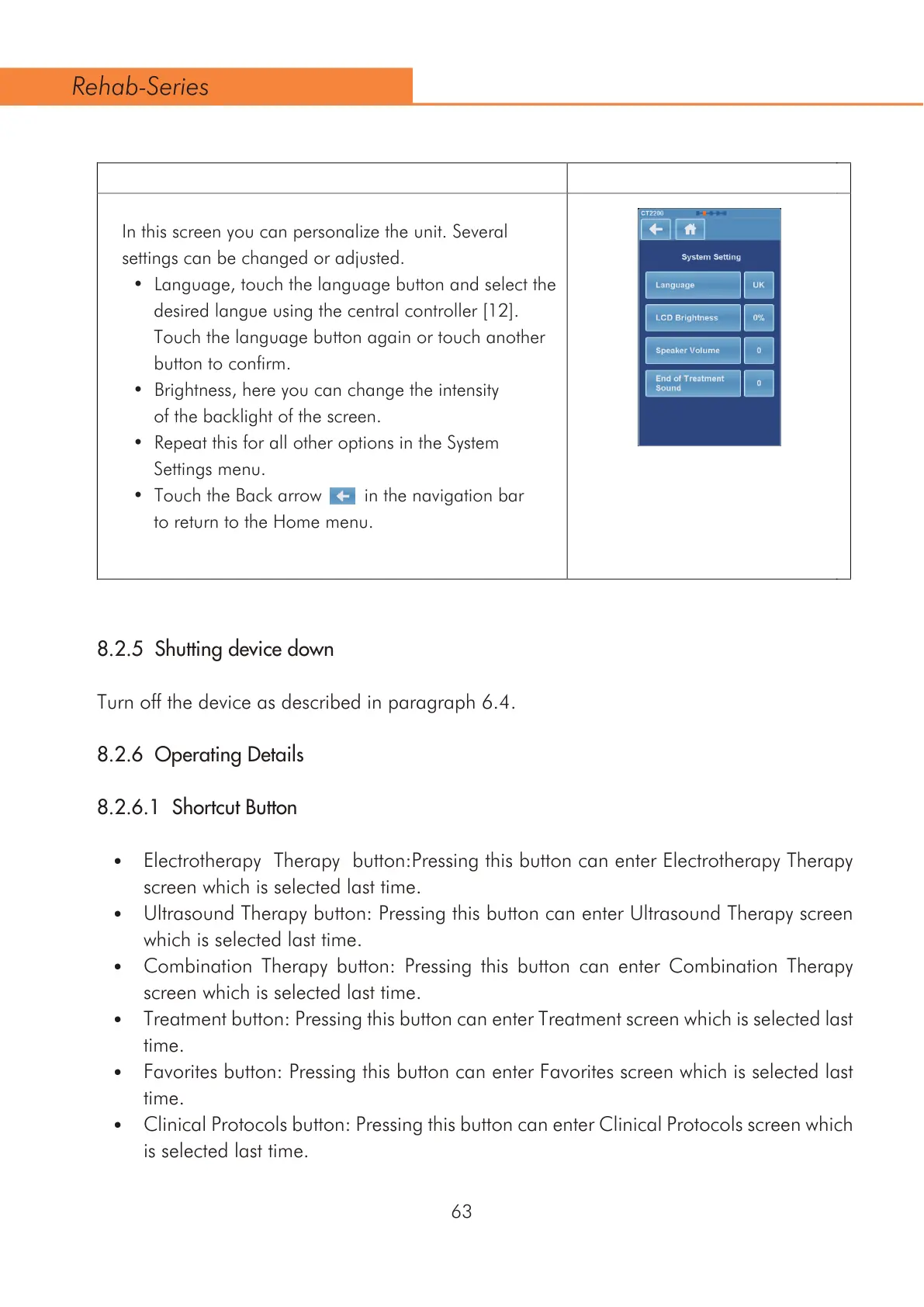
In this screen you can personalize the unit. Several
settings can be changed or adjusted.
/DQJXDJHWRXFKWKHODQJXDJHEXWWRQDQGVHOHFWWKH
GHVLUHGODQJXHXVLQJWKHFHQWUDOFRQWUROOHU>@
Touch the language button again or touch another
button to confirm.
%ULJKWQHVVKHUH\RXFDQFKDQJHWKHLQWHQVLW\
of the backlight of the screen.
5HSHDWWKLVIRUDOORWKHURSWLRQVLQWKH6\VWHP
Settings menu.
7RXFKWKH%DFNDUURZLQWKHQDYLJDWLRQEDU
to return to the Home menu.
$ $
$
63
Rehab-Series



 To Next Page