How to Use Product
E5
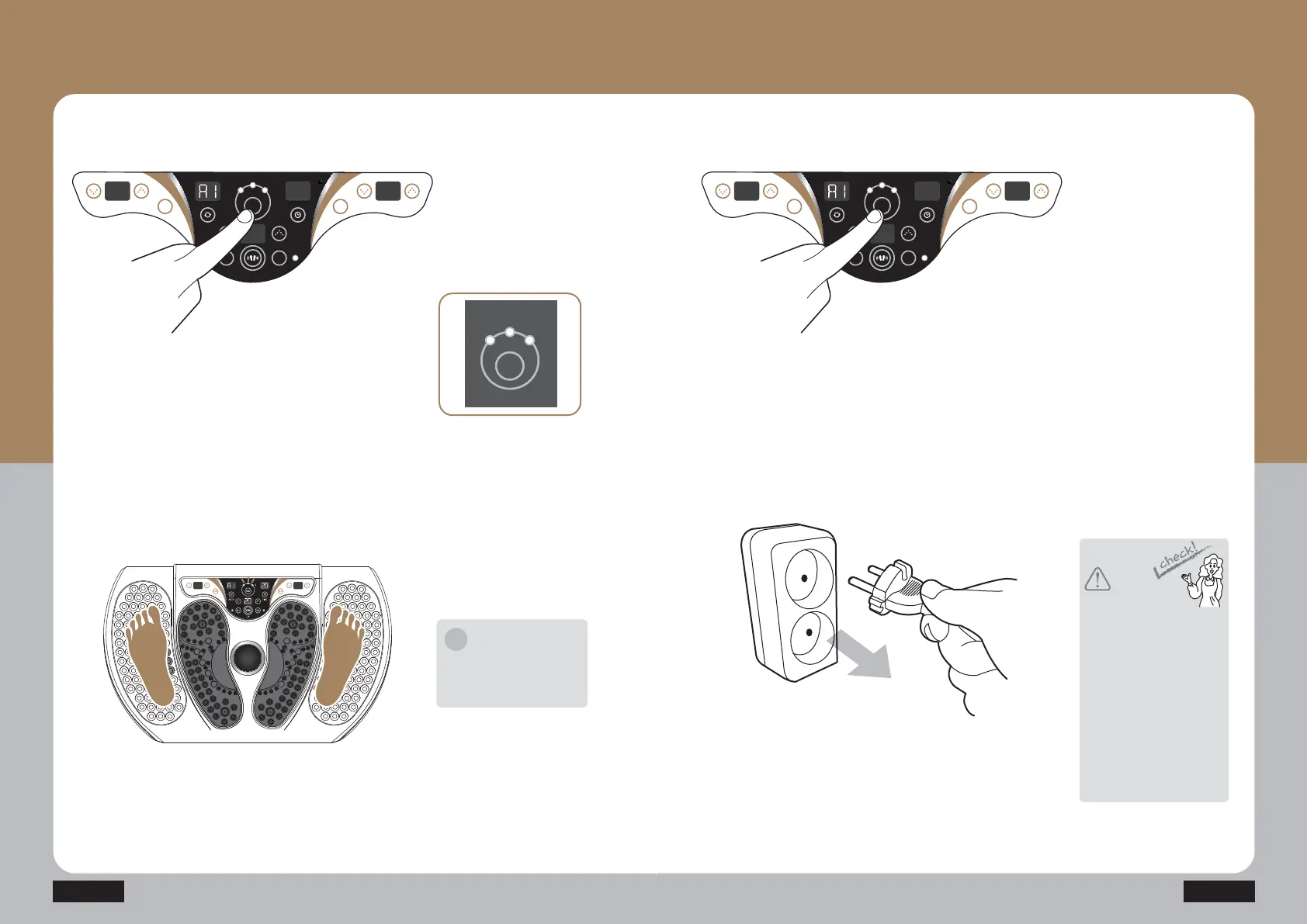
Press the thermal function
start/stop button (HEAT)
shortly to set the temperature.
L: within 50Ⳅ
M: within 60 Ⳅ
H: within 70Ⳅ
TUFQ
TUFQ
Put your both feet on the
product, and step on the product
to have acupressure function.
Notice
It is automatically stopped
in the thermal set time
(8 hours).
i
Separate the power cord from
the power outlet after use.
TUFQ
TUFQ
Press the thermal function
start/stop button (HEAT)
to finish the operation while
operating.
HEAT
M1 M2
LH
M
L F
AUTO
TIME
CH1 CH2
HEAT
M1 M2
LH
M
L F
AUTO
TIME
CH1 CH2
HEAT
LH
M
Caution
Press the start/stop button to
finish the operation, turn off
the power switch, and
separate the power cord from
the power outlet.
All the cords should be
separated while moving the
product. Otherwise, it may
cause the damage of the
product.
It may cause an error if the
product is turned on when the
product is not used.



 To Next Page