How to Use Product
E5
TUFQ
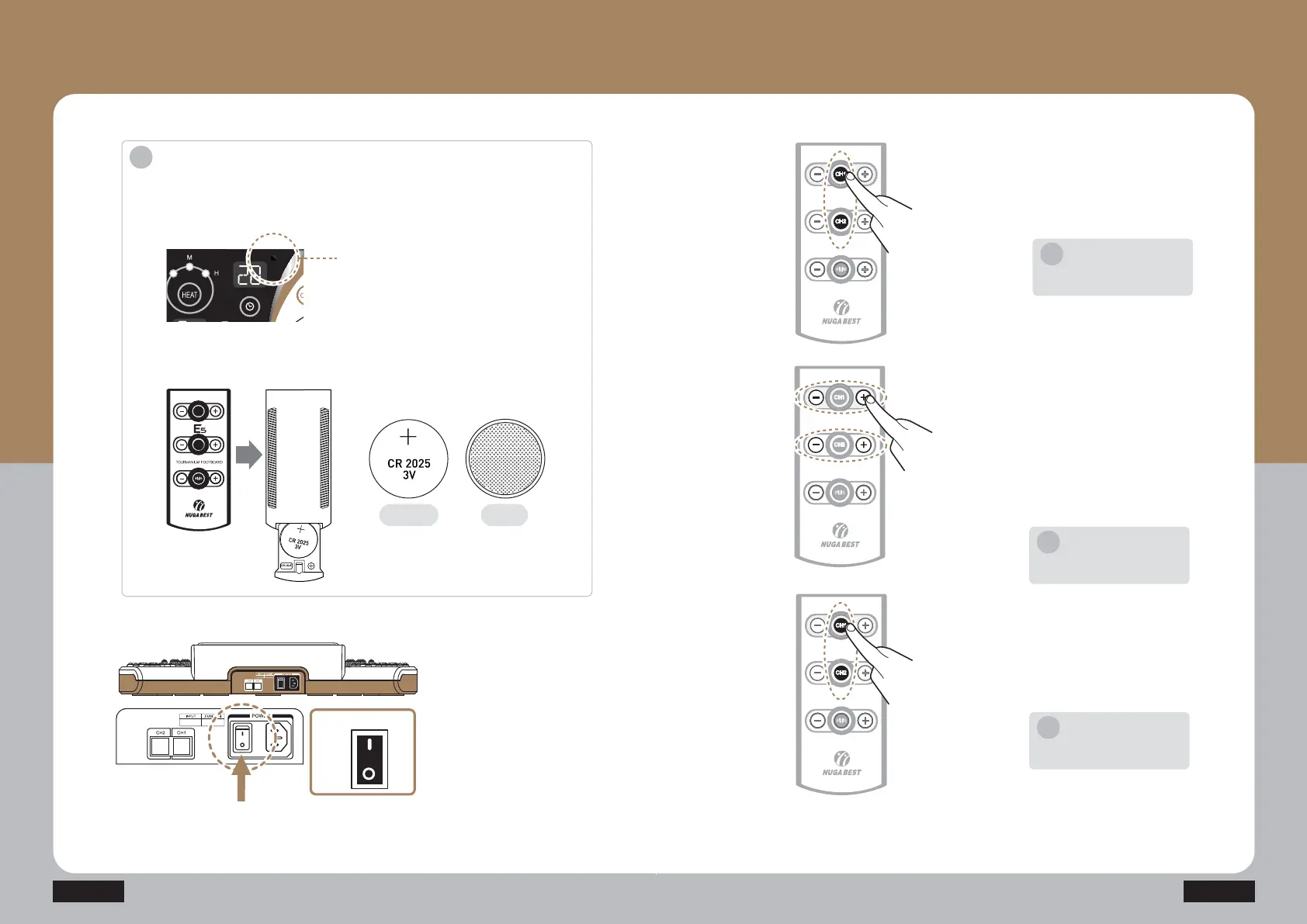
Adjust the intensity of low
frequency by pressing output
intensity control button ‘-’,‘+’ of
Channel 1.
A level is displayed on the output
intensity display unit (FND) of the
channel 1 (CH1).
The level can be adjusted
between 1 and 20.
TUFQ
Press the start/stop button (CH1)
once more to finish the operation.
How to Use Controller
- How to use Channel 1,2
TUFQ
Start product operation by pressing
CH1 Start/Stop button (CH1) of the
controller.
CH1
CH2
CH1
CH2
CH1
CH2
Same for Channel 2(CH2).
Notice
i
Same for Channel 2(CH2).
Notice
i
Same for Channel 2(CH2).
Notice
i
TUFQ
Connect the power cord to
the back side of the
product, and connect it to
the power outlet.
Check out the working
voltage before use.
Press the power switch on
the side of the power cord
connection unit to turn on
the product.
Introduction
·Do not use it for other usages than the described purposes of uses.
·Check out the working voltage before use.
·Point the controller only towards the controller receive sensor when operating.
i
Controller Receive Sensor
CH1
CH2
· To replace your controller’s battery, flip the controller upside down,
pull the slider at the bottom and ensure you put the battery cell facing up
as shown in the image.
FRONT BACK
ON
Power
OFF
CH2 CH1


 To Next Page
 Loading...