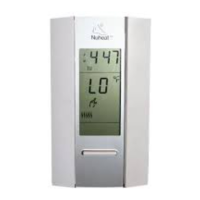
a) To Program your Schedule
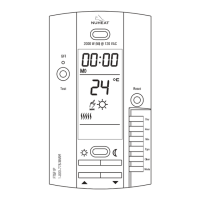
1- Press on PGM button to access the programming mode.
2- Press on Day button to select the day to be programmed. You can select
all days of the week by pressing on Day button for 3 seconds.
3- Press on PGM button to select program 1, 2, 3 or 4.
4- Press on Hour and Min buttons to program the time.
5- When you have completed your programming, press on Mode button
to exit this function.
b) To Erase a Program :
Select the program using PGM and Day buttons, and press on Clear
button. The time field displays --:-- when the program is inactive.
c) Example 1 : Comfort period from 7:00 AM to 10:30 PM
Economy period from 10:30 PM to 7:00 AM
Identical schedule for all days of the week.
1- Press on PGM button to access the programming mode.
2- Press on Day button 3 seconds to select every day of the week.
3- Press on Hour button to enter 7:00 AM, Prog. 1 ( ).
4- Press on PGM button again to select Prog. 2 ( ), and press on
Hour and Min buttons to enter 10:30 PM.
5- Press on Mode button to exit this function.
Mode
NOTE : For temperature increases (Prog. 1 and 3), allow at least
1 hour. If you have lowered the temperature during the night
and you wake up at 7:00 AM, change the setting to 6:00 AM.
Program
1
2
3
4
Time
Wake-up time
Leaving time
Return time
Bed time
d) Example 2 : Comfort period: Monday to Friday from 6:15 AM to
8:15 AM and from 5:00 PM to 10:00 PM.
NOTE : It is faster to program the same schedule for every day and then
modify the exception days.
Schedule/Day
PROG. 1
PROG. 2
PROG. 3
PROG. 4
MON.
6:15
AM
8:15 AM
5 PM
10 PM
TUES.
6:15
AM
8:15 AM
5 PM
10 PM
WED.
6:15
AM
8:15 AM
5 PM
10 PM
THU.
6:15
AM
8:15 AM
5 PM
10 PM
FRI.
6:15
AM
8:15 AM
5 PM
10 PM
SAT.
7:30
AM
---
---
11
PM
SUN.
7:30
AM
---
---
11
PM
720-111009 6/8


 To Next Page