- 4 -
Package Content
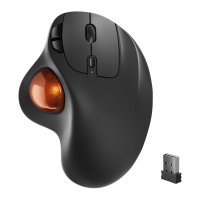
1x Wireless Trackball Mouse
1x 2.4GHz Receiver
1x User Manual
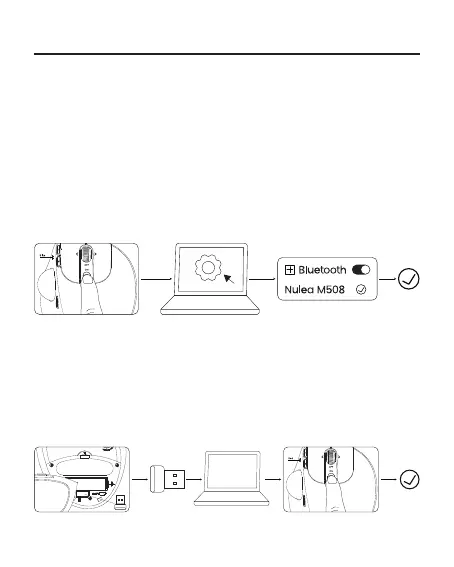
1. Remove the 2.4G receiver from the bottom of the mouse.
2. Insert the receiver into the computer and wait for the computer to automatically
install it.
3. Slide the mode switch button to 2.4G mode; the indicator light will ash red.
4. Once the 2.4G connection is successful, the indicator light will turn off.
Bluetooth Connection:
2.4G Receiver Connection:
1. Slide the mode switch button to Bluetooth mode; the indicator light will ash
blue.
2. Slide and hold the mode button for two seconds to enter Bluetooth pairing
mode.
3. Turn on Bluetooth on your computer, search for "Nulea M508," and connect to it.
4. Once the Bluetooth connection is successful, the indicator light will turn off.



 To Next Page