- 6 -
Sleep Mode & Wake Up
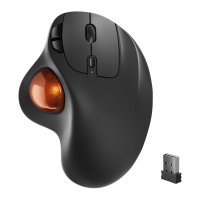
The Nulea M508 Mouse features an intelligent sleep mode that keeps the mouse
working longer. In wireless connection mode, the M508 mouse enters sleep mode
after 5 minutes when no operation is detected.
If you need to use the mouse, wake it up by pressing any key or scrolling the trackball.
Note:
If clicking the keys doesn't wake the mouse, check the following reasons.
-Make sure the battery power of the mouse is sufcient.
-The pairing mode is on the channel that goes with it.
-Bluetooth is working ne on the terminal device.
-If the computer is in a hibernation state, please wake up the computer rst and then
click the keys to wake up the mouse.
Important Safety Instructions
Please Note: Long-term repetitive use of any keyboard and mouse could cause injury
to the user. We recommend users avoid excessive use of this or any keyboard and
mouse.
- Avoid dropping.
- Do not disassemble.
- Do not expose to liquids.
- This product is suitable for moderate climates only.
- The maximum ambient temperature during the use of this product must not exceed
40 degrees.
- Open fame sources, such as candles, must not be placed on this product.
- Only use a dry cloth or brush to clean this product.
FAQ1
1. How to Clean Your Trackball Mouse?
If your trackball mouse cursor is sticking or jumping around on your screen, or it's
just not moving smoothly, you can clean it for better performance.
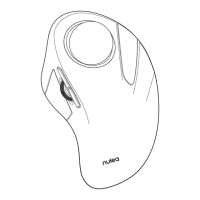
(1) Use the eraser end of a pencil to push the trackball through the hole at the
bottom of the mouse.



 To Next Page