PIE1009 – indice A
22/60
8. Downloading the photos/videos
To download your photos/videos to a computer, first make sure the camera power switch is in
the OFF position. Connect the supplied cable to the camera’s USB port, then directly to a main
USB port on your computer.
9. Technical specifications
Image sensor 5MP color CMOS
Lens F=3.0, FOV (field of view)=45°
IR flash 940 nm – range up to 65 feet / 20 m
LCD display 2” TFT color
Memory card from 20MB to 32GB
Picture resolution 12MP=4032x3024, 8MP=3264x2448, 5MP=2560x1920
Video resolution 1080P (30fps), 720P (30fps), VGA (30fps)
Video length programmable - 10s, 20s, 30s, 60s
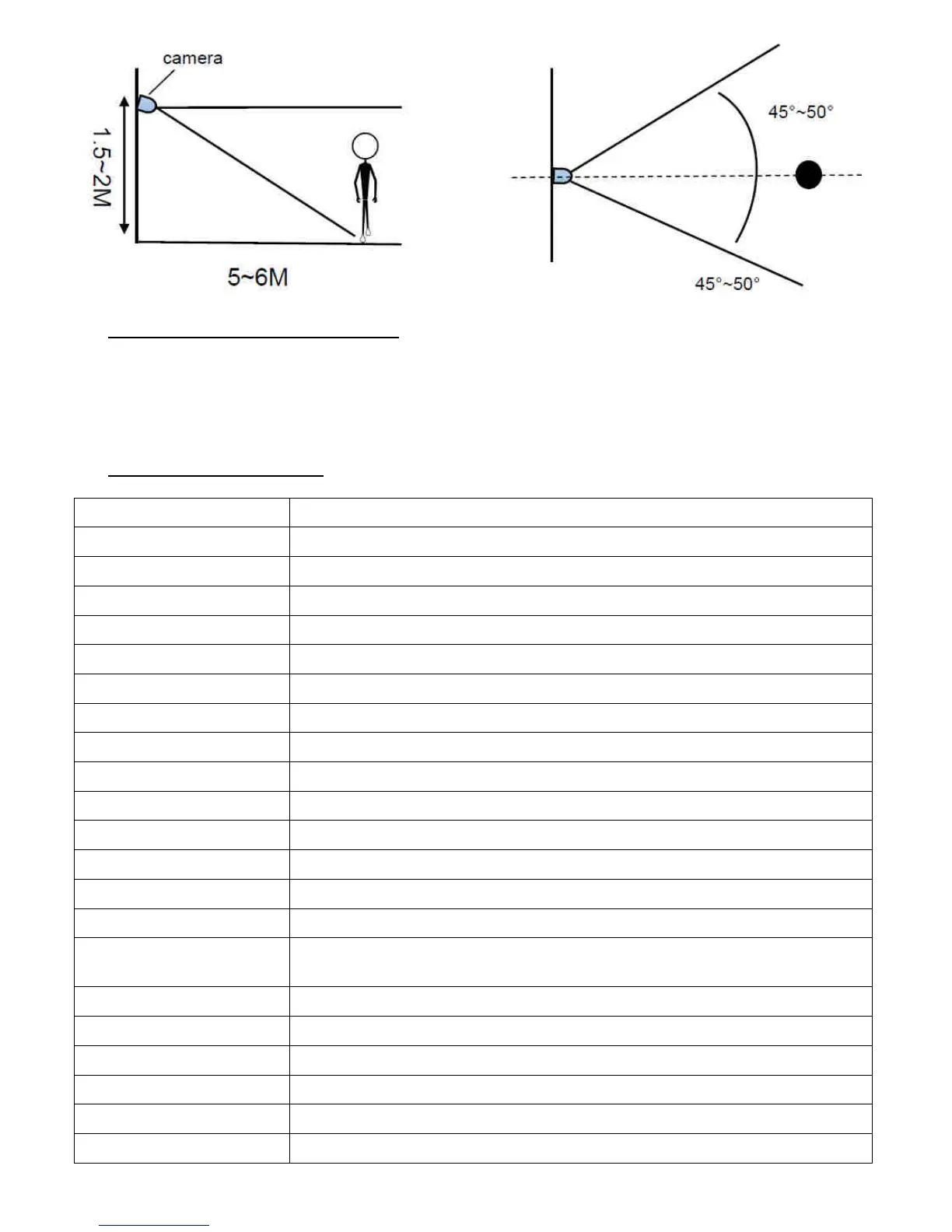
PIR sensing distance 65 feet / 20 m (below 77°F/25°C at the normal level)
PIR sensing angle 45°-50°
PIR sensitivity adjustable (High/Medium/Low)
Operation mode Camera, Video, Camera + Video (first take a picture then a video)
Audio videos with audio recording
Trigger time 0.6 second
Fixed time ON/OFF
Time stamp date, time, temperature, moon phase, battery level, camera serial
number
Series photos programmable - 1, 2, 3
Power supply 8xAA or 4xAA or solar power supply
Stand-by current <0.35mA (<6mAh/day)
Interface USB connector, SD card slot and external DC power connector
Dimensions 138x105x70 mm
Weight 600 g


 To Next Page