EasyManua.ls Logo

Num'axes PIE 1010 - User Manual

Num'axes PIE 1010
40 pages
Go to English
Print Icon
To Next Page IconTo Next Page
Loading...
Piège photographique / Trail camera # PIE 1010 – Guide d’utilisation / User’s guide – indice A
1/40
Piège photographique / Trail camera
Modèle/Model PIE 1010
Guide d’utilisation / User’s guide
Français ................................... p. 1
English ................................... p. 23
Français
Page
Composition du produit ................................................................................................... 2
Présentation du produit ................................................................................................... 2
Mise en place des piles ................................................................................................... 3
Mise en place de la carte SD ............................................................................................ 4
Mise en place de la carte SIM .......................................................................................... 5
Fixation de l’antenne ...................................................................................................... 5
Utilisation du piège photographique .................................................................................. 5
Mode OFF (arrêt)
Mode ON (marche)
Mode TEST (configuration)
Menu de configuration – liste des paramètres et des réglages
Commandes par SMS ................................................................................................... 15
Fonction téléphone ....................................................................................................... 16
Montage et positionnement ........................................................................................... 16
Télécharger les photos/vidéos ........................................................................................ 17
Spécifications techniques .............................................................................................. 17
En cas de dysfonctionnement ........................................................................................ 18
Garantie ..................................................................................................................... 18
Conditions de garantie .................................................................................................. 19
Enregistrement de votre produit .................................................................................... 19
Accessoires ................................................................................................................. 19
Collecte et recyclage de votre appareil en fin de vie .......................................................... 19
Question and Answer IconNeed help?

Do you have a question about the Num'axes PIE 1010 and is the answer not in the manual?

Summary

Product Overview and Installation

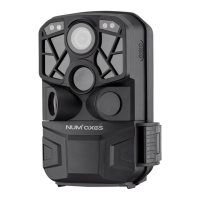
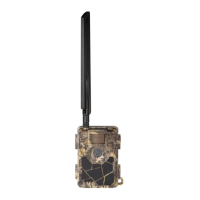
Presentation of the product

Details the camera components and its infrared remote control for settings and functions.

Contents of the product

Lists the items included with the trail camera package.

Installing the batteries

Instructions for correctly inserting AA batteries into the camera's battery tray.

Inserting the SD card

Guide on how to insert an SD card correctly, including format recommendations and warnings.

Inserting the SIM card

Steps for inserting a SIM card, including PIN code removal and icon meanings.

Attaching the antenna

Procedure for securely screwing the antenna onto the camera's socket.

Camera Operation Modes

OFF mode

Explains the safe mode for handling the camera or connecting to a computer.

ON mode

Describes the mode where the camera is active and takes photos/videos automatically.

TEST (setup) mode

Mode for configuring settings, manual capture, and previewing images/videos.

Camera Configuration and Settings

Custom settings

Guide to navigating the menu to change camera parameters and operational preferences.

Manual capturing

How to manually take a photo or record a video using the TEST mode.

View images or videos on the camera LCD screen

Steps to review captured photos and videos directly on the camera's screen.

Delete photo or video

Instructions for deleting individual or all captured files from the SD card.

TEST menu - parameters and settings list

Comprehensive list of all configurable parameters and their settings in the TEST menu.

Advanced Features and Communication

SMS commands

How to control the camera remotely using SMS text messages and command codes.

Installation and Data Retrieval

Phone function

Describes the new feature allowing the camera to make phone calls for emergency situations.

Mounting and positioning

Recommendations for securely mounting the camera and optimal placement for capturing images.

Downloading the photos;videos

Steps to connect the camera to a computer via USB to transfer captured media.

Technical Information and Support

Technical specifications

Detailed list of the camera's technical specifications and capabilities.

Troubleshooting

Guidance on diagnosing and resolving common product issues and faults.

Warranty and Disposal

Guarantee

Information regarding the product's warranty coverage and terms.

Collection and recycling of your device at the end of its life

Instructions for environmentally responsible disposal of the device.

Num'axes PIE 1010 Specifications

General IconGeneral
BrandNum'axes
ModelPIE 1010
CategoryScouting Camera
LanguageEnglish

Related product manuals