Need help?
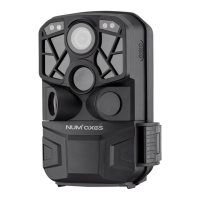
Do you have a question about the Num'axes PIE1048 and is the answer not in the manual?
Camera uses 8 AA batteries (alkaline or rechargeable NiMH). Ensure correct polarity when inserting.
Uses an external adapter 6V/1A. The DC port is located at the bottom of the device.
Insert batteries and SD card, then switch to ON. LCD counts down 15 seconds for setup.
Slide switch to OFF. Camera consumes minimal power. Remove batteries for long periods of non-use.
Switch to TEST mode, press MENU. Navigate settings with UP/DOWN, OK to select/save.
Slide switch to TEST, press DOWN, then SHOT button to take a picture.
Slide switch to TEST, press UP, then SHOT to start recording. Press SHOT again to stop.
Slide switch to TEST, press REPLAY to enter playback. Navigate with UP/DOWN. Zoom with SHOT/OK.
In Playback mode, press MENU. Select 'Delete selection' or 'Delete all files' and confirm.
In Playback mode, press MENU. Select 'Write Protection' to protect or unlock files.
Connect camera (OFF mode) via USB to computer. Files are in DCIM folder. Do not disconnect during copy.
In TEST mode, camera powers off after 2 minutes of inactivity. Slide to OFF then back to TEST to reconfigure.
Details warranty validity, exclusions like misuse, unauthorized repairs, loss or theft.
 General
| Resolution | 12 MP |
|---|---|
| Video Resolution | 1080p |
| Memory Support | up to 32 GB SD card |
| Power Supply | 8 AA batteries |
| Waterproof | IP66 |
| Battery Life | up to 6 months |
| Night Vision | yes |
| IR Flash Range | 20 meters |
| Detection Range | 20 meters |


 To Next Page