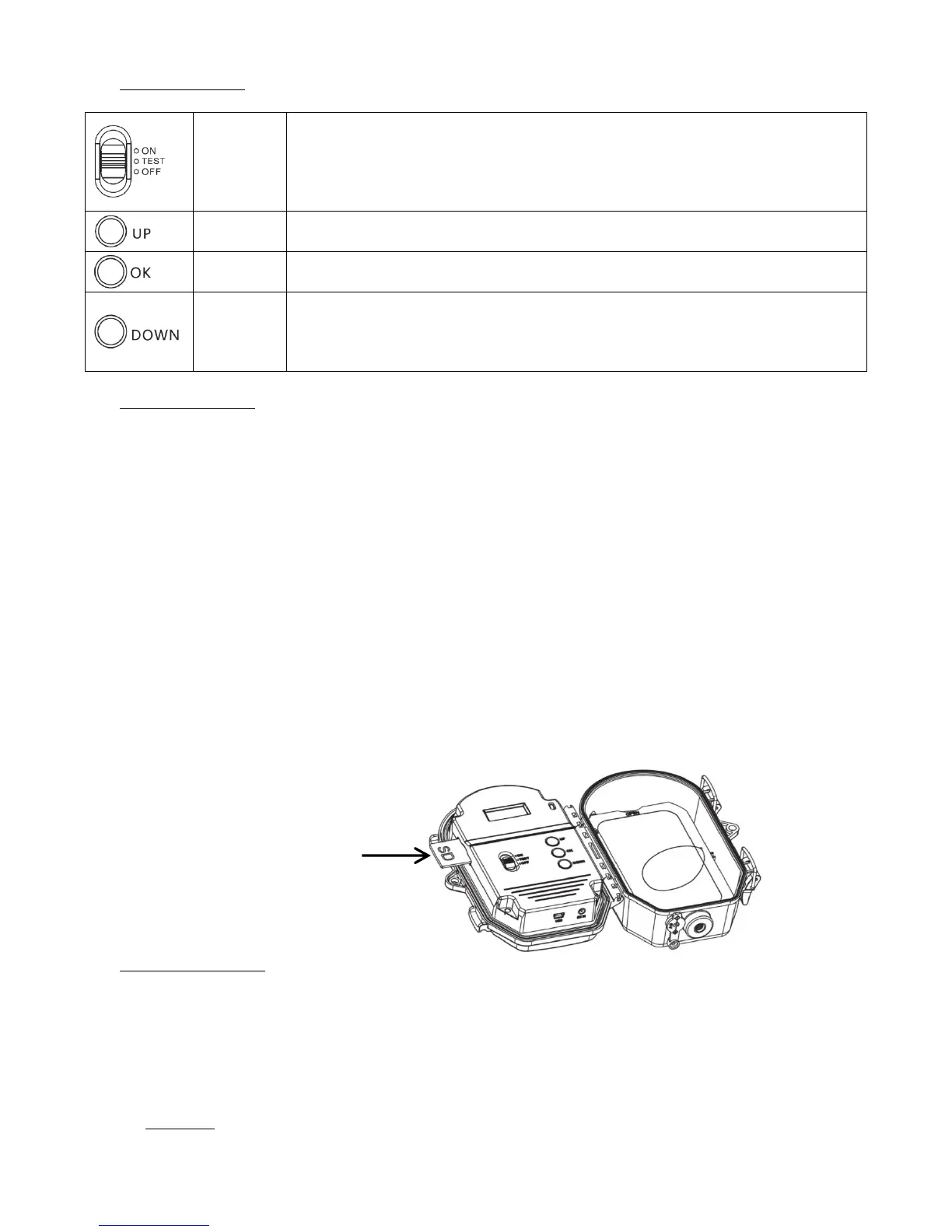
Slide the switch in the “TEST” position, then you can set the operating parameters of
the device.
Slide the switch in the “ON” position, the LCD screen will shut down after 10 seconds
then the device will function according to the selected settings.
Slide the switch in the “OFF” position, the device will shut down in seconds.
4. Inserting the SD card
The camera uses a SD memory card to save photos and/or videos. Memory cards up to a maximum of 32GB are
supported (class 4 or above). Before inserting the memory card into the card slot, make sure that the write
protection switch on the side of the card is not in the LOCK position.
Before inserting or removing the memory card, the camera must be turned off (switch in the OFF position). Failing
to do so may cause loss of or damage the files already recorded on the memory card.
You must insert the memory card before putting the power on. If no memory card is inserted, the message “Please
insert SD card” appears on the LCD screen.
Inserting the memory card upside down or backwards could damage the camera or the card. Damages resulting
from inserting the memory card incorrectly are not covered by the warranty.
The memory card must be empty (no images from other sources). If the memory card has been used in another
device, make sure to format it before using it in your camera (see § 8.13 Format). New cards are ready to use
straight from the package.
- Open the cover, and insert the memory card in the card slot completely and correctly oriented as shown by
the icon under the slot.
- To remove the memory card, depress it and pull it out gently.
5. Installing the batteries
The battery compartment accepts 8 AA (LR6) alkaline batteries. Be sure to use high quality alkaline batteries (you can
purchase NUM’AXES batteries from your supplier or directly on www.numaxes.com. Install the batteries making sure
to follow polarity (+/-) indicated inside the battery compartment.
Before inserting or removing the batteries, the camera must be turned off (switch in the OFF position). Failing to
do so may cause damages to the product.
- WARNING: do not use batteries other than the ones specified in this section. Doing so will damage the
camera and void the warranty.
- Do not mix old and new batteries. Do not mix alkaline, standard or rechargeable batteries.


 To Next Page
 Loading...