EasyManua.ls Logo

Numark 4TRAK - User Manual

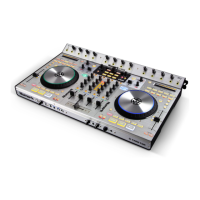
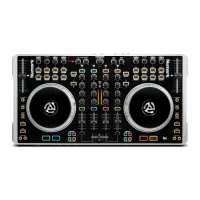
Numark 4TRAK
8 pages
Print Icon
To Next Page IconTo Next Page
Loading...
QUICKSTART GUIDE
ENGLISH ( 2 – 6 )
GUÍA DE INICIO RÁPIDO
ESPAÑOL ( 7 – 11 )
GUIDE D'UTILISATION RAPIDE
FRANÇAIS ( 12 – 16 )
GUIDA RAPIDA
ITALIANO ( 17 – 21 )
KURZANLEITUNG
DEUTSCH ( 22 – 26 )

Other manuals for Numark 4TRAK

Question and Answer IconNeed help?

Do you have a question about the Numark 4TRAK and is the answer not in the manual?

Summary

System Requirements

Windows System Requirements

Specifies OS, processor, RAM, and storage needs for Windows.

Mac System Requirements

Details OS, processor, RAM, and storage requirements for Mac.

Setup

Attach the FX Kommand Console

Instructions for connecting the FX Kommand Console to the 4TRAK unit.

Install the Drivers

Steps to install necessary hardware drivers for the 4TRAK.

Install the Software

Guide to installing the accompanying TRAKTOR software and registration.

Get Started

Initial configuration steps for using TRAKTOR with the 4TRAK controller.

Front Panel Overview

Front Panel Controls

Details on the functions of front panel buttons and knobs like Fader Start, Crossfader Slope, etc.

Rear Panel Overview

Rear Panel Connections

Explains the purpose of rear panel ports for power, USB, audio outputs, and inputs.

Top Panel Controls

Top Panel Functions (1-17)

Details on top panel controls from Strip Search to Track Reset.

4 TRAK FX Section

4 TRAK FX Controls

Explains the Mode, Mix, Select, and Knob functions for FX 1 and FX 2.

Specifications

Analog Specifications

Details SNR, THD+N, and Frequency Response for analog outputs.

Digital Specifications

Lists Sample Rate and Bit Depth for digital audio processing.

Hardware Specifications

Provides Weight and Dimensions for the 4TRAK with FX Kommand Console.

Summary

System Requirements

Windows System Requirements

Specifies OS, processor, RAM, and storage needs for Windows.

Mac System Requirements

Details OS, processor, RAM, and storage requirements for Mac.

Setup

Attach the FX Kommand Console

Instructions for connecting the FX Kommand Console to the 4TRAK unit.

Install the Drivers

Steps to install necessary hardware drivers for the 4TRAK.

Install the Software

Guide to installing the accompanying TRAKTOR software and registration.

Get Started

Initial configuration steps for using TRAKTOR with the 4TRAK controller.

Front Panel Overview

Front Panel Controls

Details on the functions of front panel buttons and knobs like Fader Start, Crossfader Slope, etc.

Rear Panel Overview

Rear Panel Connections

Explains the purpose of rear panel ports for power, USB, audio outputs, and inputs.

Top Panel Controls

Top Panel Functions (1-17)

Details on top panel controls from Strip Search to Track Reset.

4 TRAK FX Section

4 TRAK FX Controls

Explains the Mode, Mix, Select, and Knob functions for FX 1 and FX 2.

Specifications

Analog Specifications

Details SNR, THD+N, and Frequency Response for analog outputs.

Digital Specifications

Lists Sample Rate and Bit Depth for digital audio processing.

Hardware Specifications

Provides Weight and Dimensions for the 4TRAK with FX Kommand Console.

Numark 4TRAK Specifications

General IconGeneral
Channels4
TypeDJ Controller
Number of Decks4
MIDIYes
Inputs4 x RCA line/phono, 2 x XLR/TRS combo mic
Outputs2 RCA, 2 XLR, 2 1/4"
USB1 x Type B
MixerYes
Audio Interface24-bit
MIDI I/OUSB
EffectsYes
Software CompatibilityTraktor Pro 2
Jog WheelsYes

Related product manuals