EasyManua.ls Logo

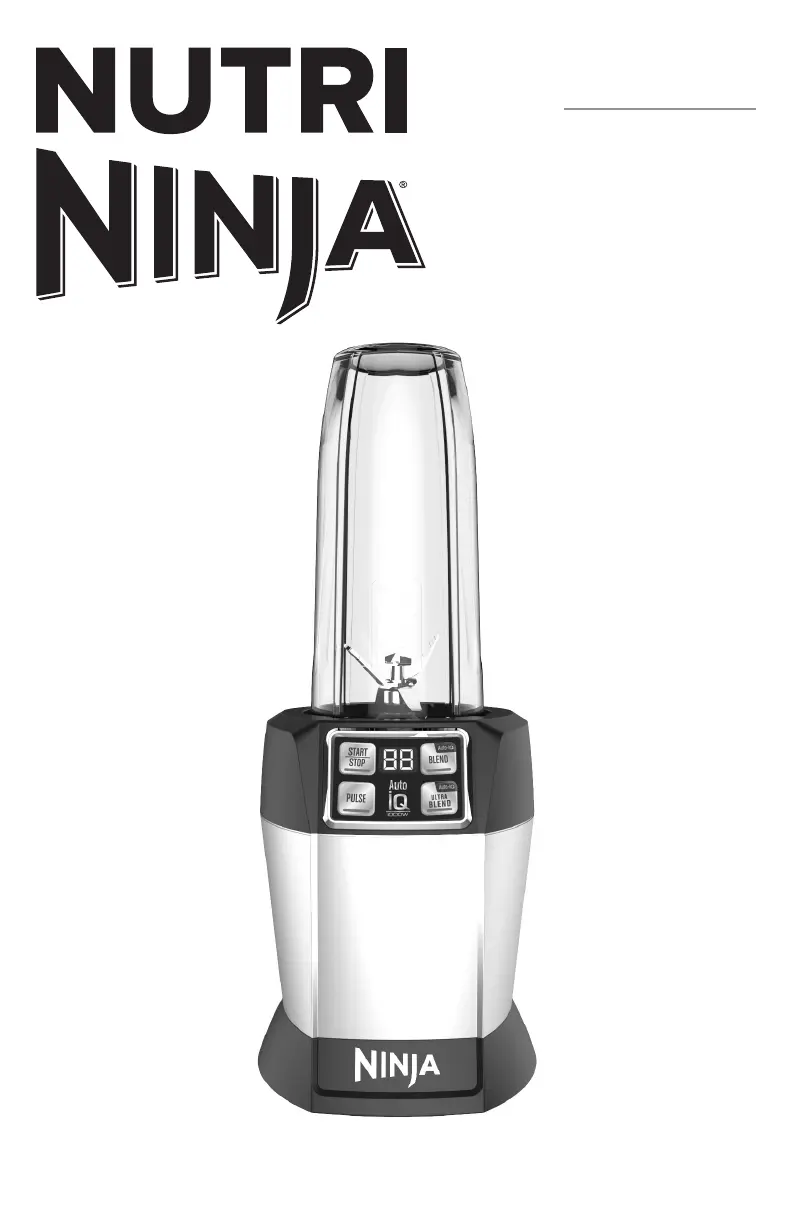
Nutri Ninja BL481 - User Manual

Nutri Ninja BL481
16 pages
Print Icon
To Next Page IconTo Next Page
Loading...
www.ninjakitchen.com
BL481
BL482
OWNER’S GUIDE

Questions and Answers

  • M
    Monique ElliottJul 28, 2025
    How to turn on Nutri Ninja Blender?
    • J
      Jacqueline EatonJul 28, 2025
      First, ensure the Nutri Ninja Blender is properly plugged into a working electrical outlet. Second, make sure to correctly insert the cup into the base and rotate it clockwise until you hear a distinct "click." This should activate the display and allow the unit to power on.
  • M
    melaniedorseyAug 1, 2025
    What to do if Nutri Ninja Blender doesn't turn off?
    • D
      Debbie JohnsonAug 1, 2025
      To stop the Nutri Ninja Blender, first, remove the cup from the base by rotating it counterclockwise and lifting it out. This should turn off the display. If the unit still doesn't turn off, unplug the power cord from the electrical outlet.
  • R
    Rachel MillerAug 5, 2025
    What to do if Nutri Ninja BL481 Blender doesn't mix well and food gets stuck?
    • H
      hsimpsonAug 5, 2025
      To prevent your Nutri Ninja Blender from sticking and not mixing well, using the AUTO-iQ™ programs is the easiest way to achieve great results. If food is routinely getting stuck, adding some liquid will usually help. When packing the cups, start with fresh items, then powders/nuts. Add liquids, and finally frozen items or ice.
  • L
    Leslie MyersAug 10, 2025
    Why Nutri Ninja Blender moves on counter while blending?
    • G
      Garrett MckinneyAug 10, 2025
      To prevent the Nutri Ninja Blender from moving on the counter while blending, ensure that both the surface of your counter and the feet of the unit are clean and dry.
  • D
    David FisherAug 14, 2025
    How to evenly chop food in Nutri Ninja BL481 Blender?
    • J
      jason39Aug 14, 2025
      To achieve evenly chopped food with your Nutri Ninja Blender, ensure all ingredients are as dry as possible before chopping. Cut the ingredients into even sizes, and reduce the amount of food in the cup. Use short pulses by quickly pressing the "PULSE" button.
  • A
    adam88Aug 18, 2025
    How to assemble Lid/Pro Extractor Blades Assembly of Nutri Ninja BL481?
    • D
      Debra ByrdAug 18, 2025
      To make it easier to assemble the lid or Pro Extractor Blades Assembly on your Nutri Ninja Blender, set the cup on a level surface. Place the lid or Pro Extractor Blades Assembly on top of the cup and align the threads so that the lid/blades sit flat on the cup. Twist clockwise so that the lid/blades evenly align to the cup until you have a tight seal.
  • K
    Kelly MartinezAug 22, 2025
    How to remove Nutri Ninja Blender from counter for storage?
    • R
      Robert ThompsonAug 23, 2025
      To easily remove your Nutri Ninja Blender from the counter for storage, tip the unit forward from the back to disengage the suction feet.

Summary

Important Safety Instructions

Technical Specifications

Getting To Know Your Nutri Ninja with AUTO-IQ

Before First Use

Use

Suggested Uses

Care & Maintenance

How to Clean

Instructions for cleaning the blender parts and motor base.

How to Store

Guidelines for storing the blender and its components properly.

Resetting the Motor Thermostat

Procedure to reset the motor if it overheats due to overload.

Troubleshooting Guide

Replacement Parts

Information on how to order replacement parts for the appliance.

One (1) Year Limited Warranty

Product Registration

Instructions and importance of registering the product after purchase.

Nutri Ninja BL481 Specifications

General IconGeneral
Power1000 Watts
Capacity72 oz
Blade MaterialStainless Steel
Dishwasher SafeYes
Motor Speed21000 RPM
Blade TypePro Extractor Blades
Number of Blades4
Pulse FunctionYes
Included ComponentsPro Extractor Blades Assembly

Related product manuals